
The crypto wallet market can look confusing when you first enter it. There are mobile apps, browser extensions, hardware devices, Bitcoin-only wallets, multi-chain wallets, exchange wallets, and increasingly sophisticated tools built for DeFi and Web3. Yet the underlying idea is much simpler than the product landscape makes it appear: a wallet is essentially your interface to blockchain ownership.
Once you understand that distinction, choosing the right wallet becomes much easier. You are no longer asking, “Which wallet stores my crypto?” Instead, you are asking a much better question: “Which tool gives me the right balance of security, control, convenience, and compatibility for what I actually want to do?”
That is the question this guide is designed to answer.
Introduction: What Is a Crypto Wallet?
The core definition
A crypto wallet is software, hardware, or another cryptographic interface that allows you to interact with a blockchain. It can generate addresses, manage private keys, sign transactions, display balances, connect to decentralized applications, and help you send or receive digital assets.
The important part is the private key.
A blockchain does not recognize you because you have an account with a company. It recognizes cryptographic signatures. If you control the private key associated with a blockchain address, you can generally authorize transactions from that address.
This is why wallet security is fundamentally different from ordinary online banking security.
With a conventional bank account, the bank maintains the authoritative account record and controls the underlying infrastructure. If you forget your online-banking password, the bank can usually verify your identity and reset your access. In a self-custodial crypto wallet, there may be no central institution capable of doing that for you.
That freedom is powerful, but it comes with responsibility.
The biggest crypto wallet misconception
Let me clear up the most common misunderstanding first: a crypto wallet does not actually store your cryptocurrency.
Your Bitcoin remains recorded on the Bitcoin blockchain. Your ETH remains represented on Ethereum. Your Solana assets remain recorded by the Solana network. What your wallet manages is the cryptographic information that allows you to prove control over those assets.
This distinction is not just technical trivia. It changes how you think about backups.
If your phone breaks but you have properly backed up your recovery credentials, you can restore access to your wallet on another compatible device. Conversely, if your phone works perfectly but someone obtains your recovery phrase, the device itself provides very little protection.
Even wallet providers emphasize this distinction. For example, Ledger’s explanation of crypto wallets notes that cryptocurrencies remain on the blockchain while private keys are what provide control over the corresponding assets.
Public keys vs. private keys
The easiest analogy is to think of your public address as something similar to a bank account number and your private key as the authorization mechanism that lets you move the funds.
It is not a perfect analogy, but it is useful.
| Component | What it does | Can you share it? |
|---|---|---|
| Public address | Receives crypto and identifies an on-chain destination | Yes |
| Public key | Used in cryptographic verification | Generally yes |
| Private key | Authorizes transactions | Never |
| Seed / recovery phrase | Backup from which wallet keys can be restored | Never |
| Wallet password / PIN | Protects access to the wallet on a particular device | Never share |
A public address can safely be displayed when someone needs to send you funds. Your private key is different because possession of it can give someone the ability to authorize transactions.
That is also why screenshots of recovery phrases, cloud backups, and casual messages containing wallet credentials are such bad ideas.
The Custody Dilemma: Custodial vs. Non-Custodial Wallets

Before comparing wallet apps, you need to understand custody. This is arguably more important than whether a wallet has a beautiful interface or supports hundreds of tokens.
What is a custodial wallet?
A custodial wallet is one where another company controls the underlying private keys on your behalf.
Centralized cryptocurrency exchanges commonly operate this way. You log into an account, see your balances, and can trade or withdraw funds, but the exchange controls the infrastructure and keys associated with those assets.
The convenience is obvious.
You get familiar account recovery mechanisms, customer support, password resets, and an interface that feels more like traditional finance. For someone buying crypto for the first time, that simplicity can be valuable.
But there is a trade-off.
If a third party controls the keys, your access ultimately depends on that third party continuing to operate properly and honoring withdrawals. Exchange failures, account freezes, regulatory restrictions, security incidents, or operational mistakes can therefore become relevant to your asset access.
This is the basic idea behind the famous crypto expression, “not your keys, not your coins.”
What is a non-custodial wallet?
With a non-custodial wallet, you control the private keys or recovery credentials.
That means you are responsible for securing them.
MetaMask’s official security guidance explicitly describes MetaMask as self-custodial and explains that whoever controls the Secret Recovery Phrase can control the associated accounts. MetaMask also states that its support team cannot recover a lost recovery phrase.
This is the fundamental self-custody trade-off:
| Custody model | Main advantage | Main weakness |
|---|---|---|
| Custodial | Easy recovery and support | You rely on a third party |
| Non-custodial | You control the keys | You are responsible for recovery |
| Hardware self-custody | Stronger key isolation | Requires more operational discipline |
| Software self-custody | Convenient and flexible | Greater exposure to online threats |
Neither model is automatically perfect.
If you actively trade every day, a software wallet may be more practical. If you are holding a significant amount for years, putting everything into a browser extension on the computer you use for gaming, email, downloads, and random websites is probably not the security architecture I would choose.
The right answer depends on the role the wallet plays.
Types of Crypto Wallets
Hot wallets
A hot wallet is generally a wallet whose keys are managed in an environment connected to the internet.
Hot wallets are popular because they are convenient. You can install an app, create an account, scan a QR code, connect to a Web3 application, swap tokens, mint an NFT, or interact with DeFi protocols within minutes.
The major categories include:
- Mobile wallets for everyday transactions and QR-based payments.
- Browser extensions for Web3, DeFi, NFTs, and decentralized applications.
- Desktop wallets for users who want a dedicated software environment.
- Web wallets accessed through browser interfaces.
The downside is exposure. Your wallet interacts with an environment that can contain malicious websites, phishing pages, malware, browser extensions, and deceptive smart contracts.
That does not make hot wallets “bad.” It means you should treat them as operational tools rather than automatically assuming they are ideal vaults for long-term savings.
Cold wallets
Cold storage generally means keeping private keys in an environment that is isolated from ordinary internet-connected activity.
Hardware wallets are the most common consumer implementation.
Instead of leaving private-key material inside a browser or phone, a hardware wallet uses a dedicated physical device to generate and protect keys and sign transactions. The transaction can be prepared on an internet-connected computer while the actual cryptographic signing occurs on the hardware device.
Ledger’s hardware-wallet documentation describes this model as keeping private keys offline and using the device to sign transactions, while its technical explanation of the signing process shows how the signed transaction can return to the connected device without exposing the private key.
Paper wallets
Paper wallets were once a popular cold-storage concept, but they are largely obsolete for ordinary users.
The idea was simple: generate a private key and address, then print the information on paper and keep it offline.
The problem is that modern wallet management involves far more than simply possessing a single private key. Backup standards, hierarchical deterministic wallets, multiple blockchain accounts, derivation paths, hardware security, and transaction verification have made modern hardware wallets much more practical.
A paper backup can still have value in specific recovery architectures, but I would not recommend treating traditional paper wallets as the default solution for modern self-custody.
The Complete Crypto Wallets List
There is no single “best crypto wallet” for everyone. Different ecosystems have developed their own dominant tools, and compatibility matters enormously.
EVM-compatible and Ethereum wallets
The Ethereum and EVM ecosystem has one of the broadest selections of wallets because users interact with thousands of decentralized applications across Ethereum and compatible networks.
Popular options include:
- MetaMask – a major self-custodial wallet for Ethereum, EVM networks, and Web3 applications.
- Rabby Wallet – designed around more advanced DeFi workflows and transaction risk awareness.
- Trust Wallet – a multi-chain mobile and browser wallet.
- Rainbow – an Ethereum-focused wallet with an emphasis on user experience and NFTs.
MetaMask’s official documentation describes the wallet as self-custodial and highlights support for multichain, EVM, and Solana interactions.
Bitcoin-only and Bitcoin-focused wallets
Bitcoin users often have different priorities from DeFi users.
If you only care about Bitcoin, there is little reason to choose a wallet based on whether it supports thousands of unrelated tokens.
Common Bitcoin-focused names include:
- Electrum
- Sparrow
- BlueWallet
- Muun
- Coldcard
These wallets can appeal to users who want Bitcoin-specific transaction controls, fee management, coin-control features, or hardware-wallet integration.
Solana ecosystem wallets
Solana has developed its own wallet ecosystem around fast transactions, token trading, NFTs, DeFi, and decentralized applications.
Popular choices include:
- Phantom
- Solflare
- Backpack
Phantom’s official security documentation explains the distinction between public and private keys and emphasizes that Phantom is self-custodial, meaning the user controls the credentials needed to access the wallet.
Cosmos ecosystem wallets
Cosmos users often interact with multiple interconnected networks rather than one single chain.
Common options include:
- Keplr
- Leap
The important factor here is network compatibility. A wallet that looks excellent for Ethereum may not provide the same experience for Cosmos-based assets.
Hardware and cold-storage wallets
For long-term self-custody, hardware wallets remain an important category.
Common names include:
- Ledger
- Trezor
- Coldcard
- BitBox02
The important distinction is not simply brand recognition. You should look at how the device handles private keys, how transactions are displayed and confirmed, how recovery works, whether the software is open source, which chains are supported, and how the manufacturer approaches security updates.
Reviewing the Best Crypto Wallet Apps of 2027
There is no objective winner, but some wallets stand out for particular jobs.
MetaMask – best for Web3 and DeFi
MetaMask has become one of the default interfaces for interacting with Ethereum-based decentralized applications.
Its biggest advantage is ecosystem compatibility. If you regularly use DeFi protocols, decentralized exchanges, NFT platforms, Layer 2 networks, or other EVM applications, there is a good chance the application supports MetaMask.
Its self-custodial model also means you remain responsible for your recovery credentials. MetaMask explains that the Secret Recovery Phrase is the foundation for recovering access and that it cannot recover a lost phrase for you. (MetaMask)
I would put MetaMask in the “working wallet” category: extremely useful, highly compatible, but not something I would blindly use as the sole security layer for every asset I own.
Trust Wallet – best for broad multi-chain convenience
Trust Wallet is designed for users who want a single mobile-oriented interface across many blockchain ecosystems.
The official platform currently advertises support across 100+ blockchain networks, making its breadth one of its defining characteristics. (Trust Wallet)
That makes it particularly attractive if your portfolio is spread across Bitcoin, Ethereum, BNB Smart Chain, Solana, and other networks.
The trade-off is complexity. The more chains and assets a wallet supports, the more important it becomes to verify networks and token contracts before sending funds.
Phantom – best for Solana and multichain users
Phantom became closely associated with Solana but has expanded beyond that original identity.
Its appeal is the combination of wallet management, token functionality, NFTs, swaps, and security features within one interface. Phantom also offers built-in scam detection and transaction warnings, according to its official security materials. (phantom.com)
For someone deeply embedded in the Solana ecosystem, Phantom is one of the first wallets I would investigate.
Rabby – best for advanced DeFi users
Rabby is designed for users who interact with many decentralized applications and want more transaction context before signing.
That matters because one of the biggest risks in Web3 is not necessarily someone stealing your seed phrase. You can lose funds while your wallet remains perfectly secure if you approve a malicious transaction or grant a dangerous token allowance.
A wallet that gives you more information before signing can therefore be valuable for experienced DeFi users.
Coinbase Wallet – best for users entering self-custody
Coinbase Wallet is distinct from simply leaving assets on a centralized Coinbase account. The wallet product is designed as a self-custody interface, giving users direct control over wallet credentials.
This can make it an approachable transition for people already familiar with the Coinbase ecosystem.
But the same fundamental rule applies: once you move into self-custody, you need to understand your recovery credentials rather than assuming customer support can restore them.
Crypto Wallet Comparison at a Glance
| Wallet | Platform | Best For | Main Strength | Custody |
|---|---|---|---|---|
| MetaMask | Browser / Mobile | Ethereum, EVM, DeFi | Broad dApp compatibility | Self-custody |
| Trust Wallet | Mobile / Extension | Multi-chain users | Broad network support | Self-custody |
| Phantom | Mobile / Extension | Solana & Web3 | Strong ecosystem UX | Self-custody |
| Rabby | Browser / Desktop | Advanced DeFi | Transaction risk awareness | Self-custody |
| Coinbase Wallet | Mobile / Extension | Beginners | Accessible self-custody | Self-custody |
| Ledger | Hardware + companion apps | Long-term storage | Offline key management | Self-custody |
| Trezor | Hardware + desktop/mobile ecosystem | Security-conscious users | Strong backup and open-source philosophy | Self-custody |
| Coldcard | Hardware | Bitcoin-focused holders | Bitcoin-specific security model | Self-custody |
| BitBox02 | Hardware | Security-focused beginners | Compact hardware design | Self-custody |
The table is a starting point, not a ranking carved into stone. Your preferred wallet should match your actual behavior.
How to Choose the Best Crypto Wallet for Your Needs
Start with your risk profile
Ask yourself what you are actually doing with your crypto.
If you are constantly connecting to DeFi applications, trading tokens, minting NFTs, and experimenting with new protocols, convenience matters. A hot wallet is likely to become part of your daily workflow.
If you are holding Bitcoin or other major assets for several years without frequent transactions, security should dominate convenience.
A useful setup for an experienced user is to separate these roles.
Vault wallet: long-term holdings, ideally protected by strong cold-storage practices.
Operational wallet: smaller balance used for routine transfers and established applications.
Experimental wallet: limited funds used for unfamiliar DeFi protocols, token launches, airdrops, or applications you do not fully trust yet.
This separation can dramatically reduce the damage from a single bad interaction.
Multi-chain vs. network-specific wallets
A multi-chain wallet is convenient because you can see many assets in one interface.
But specialization has advantages too.
A Bitcoin-focused user may prefer a Bitcoin wallet with detailed transaction controls rather than a wallet that treats Bitcoin as one asset among hundreds.
A DeFi user may prioritize EVM compatibility.
A Solana trader may care much more about Solana application support and transaction UX.
So instead of asking which wallet supports the most chains, ask:
Which wallet best understands the ecosystem I actually use?
That is a much more useful selection criterion.
Consider the user interface
Wallet UX is not cosmetic.
When you approve a transaction involving a smart contract, the information shown to you can influence whether you understand what you are about to authorize.
A good wallet should make it reasonably clear:
- Which network you are using.
- Which address you are interacting with.
- What asset you are sending.
- What permissions you are granting.
- What contract you are interacting with.
- Whether the transaction contains suspicious or unusual behavior.
MetaMask, for example, provides security alerts and trust signals intended to warn users about potentially harmful websites, addresses, tokens, and transactions, although it explicitly notes that these signals are informational rather than guarantees of safety. (MetaMask)
That distinction is important. No wallet interface can replace your judgment.
Wallet Security: The Part That Matters Most
A wallet can have excellent cryptography and still be compromised by a user making one bad decision.
In practice, many wallet losses happen around the edges of the technology: phishing, fake support accounts, malicious browser extensions, compromised devices, fake airdrops, malicious token approvals, and recovery-phrase theft.
Protect your seed phrase
Your recovery phrase is the master backup for many self-custodial wallets.
Depending on the wallet, this may be a 12-, 18-, 20-, or 24-word sequence. Trezor’s explanation of wallet backups and BIP39/SLIP39 explains how these standardized backup formats are used to restore wallet access.
Treat that phrase like the most sensitive credential you own.
Do not:
- Take a screenshot of it.
- Put it into Google Drive or iCloud.
- Email it to yourself.
- Store it in a password manager unless you fully understand the additional risk.
- Send it through Telegram, WhatsApp, Discord, or social media.
- Type it into a website because “support” told you to.
- Give it to anyone claiming to be wallet customer support.
A genuine wallet company should never need your seed phrase to “verify” your account.
Ledger similarly warns users never to share their recovery phrase and recommends keeping recovery information physically secured and offline. (Ledger)
Your wallet can be drained without stealing the seed phrase
This is one of the most important concepts for anyone using Web3.
Imagine that your seed phrase is perfectly secure. You have never typed it into a computer, never photographed it, and never shared it.
You can still lose money.
Why?
Because you may sign a malicious transaction.
A decentralized application can ask your wallet to approve a transaction, token allowance, NFT transfer, contract interaction, or other operation. If you approve something malicious, the attacker may be able to move assets according to the permissions you granted.
This is often called the blind-signing problem.
A hardware wallet helps protect your private keys, but it does not automatically understand whether the economic intent of every smart contract is good or bad.
The device can securely sign a transaction that you deliberately approved.
That is why security is a combination of cryptography and human judgment.
Phishing remains one of the simplest attacks
Crypto scammers understand that users often search for wallet support, token claims, bridge links, airdrops, and exchange promotions.
They create websites that look almost identical to legitimate services.
A user clicks a link, connects a wallet, signs a transaction, and only later realizes what happened.
This is why I strongly recommend navigating to important services through bookmarks or verified official channels rather than clicking random links in social media comments or direct messages.
When MetaMask’s own security system identifies signals associated with phishing, impersonation, or other harmful activity, it can display security alerts, but the company also makes clear that these alerts are not a guarantee that a transaction is safe. (MetaMask)
Revoke unnecessary permissions
If you regularly use DeFi, periodically review the token approvals associated with your wallets.
Disconnecting a website from your wallet is not necessarily the same thing as revoking an existing token allowance.
Those are separate concepts.
A disconnected website may no longer have an active wallet session, while an on-chain approval could remain in place until revoked.
This is particularly relevant for wallets you have used across many decentralized applications over time.
Hot Wallet or Hardware Wallet: Which Is Safer?
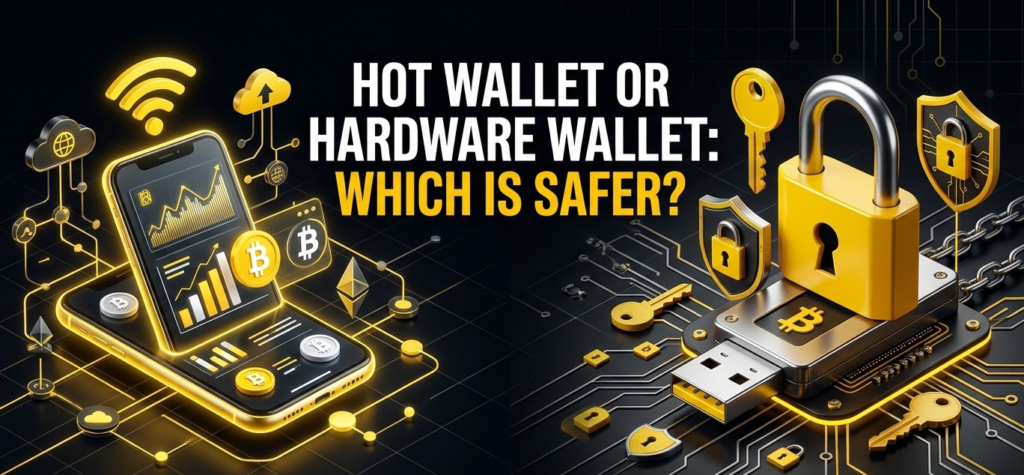
For substantial long-term holdings, I generally prefer hardware-based self-custody because the private keys can remain isolated from the computer used to browse the internet.
Hardware wallets are designed around a simple principle: your computer prepares the transaction, but the dedicated device handles the sensitive signing operation.
For example, Ledger’s technical explanation of hardware signing describes a process where the transaction is prepared on an internet-connected device, signed inside the hardware wallet, and then returned as a signed transaction for broadcasting.
That architecture reduces the ability of ordinary malware to simply extract your private keys.
But hardware wallets are not magical shields.
You can still:
- Give away your recovery phrase.
- Enter your recovery phrase into a phishing website.
- Approve a malicious contract.
- Send crypto to the wrong address.
- Lose the device and its backup.
- Buy compromised hardware from an untrusted source.
- Install malicious software around the wallet.
So the better statement is not “hardware wallets are impossible to hack.”
It is:
Hardware wallets substantially reduce certain classes of online key-extraction risk, while leaving human and operational risks very important.
A Practical Crypto Wallet Setup for Different Users
If you are a beginner
Keep it simple.
Start with one reputable self-custodial wallet that supports the network you actually need. Learn how addresses, networks, transaction fees, recovery phrases, and confirmations work before adding more complexity.
Do not immediately connect your wallet to dozens of DeFi applications.
Your first goal should be understanding how custody works.
If you actively use DeFi
Consider separating your capital.
Keep long-term holdings in a stronger security environment and use a smaller hot-wallet balance for active DeFi.
I would also prioritize wallets that provide meaningful transaction information and security warnings rather than choosing purely on aesthetics.
If you primarily hold Bitcoin
A Bitcoin-focused wallet may make more sense than a general multi-chain wallet.
For larger holdings, consider hardware security and a carefully designed backup strategy.
Bitcoin self-custody becomes increasingly about operational discipline as the amount of money involved increases.
If you hold a diversified portfolio
A combination approach is often practical.
You might use:
- One hardware wallet for long-term assets.
- One mobile wallet for everyday transfers.
- One browser wallet for Web3.
- Separate wallets for experimental applications.
There is no rule saying you need to put everything into one wallet.
In fact, doing so can create an unnecessary single point of failure.
What Happens If You Lose Your Wallet?
This is where many newcomers misunderstand the relationship between the physical device and blockchain ownership.
Suppose you have a hardware wallet containing access to your Bitcoin address. The hardware device gets lost.
Your Bitcoin does not disappear.
The blockchain still contains the funds associated with the address. What you need is the recovery information required to reconstruct the wallet.
Trezor describes its wallet backup as the information used to restore access if the device is lost, damaged, or reset, and notes that compatible backup standards such as BIP39 and SLIP39 are designed for this purpose. (Trezor)
The same fundamental principle applies to software wallets.
MetaMask explains that its Secret Recovery Phrase can restore access to the wallet on another device, while also emphasizing that MetaMask itself cannot recover a lost phrase. (MetaMask)
So when you buy a wallet, you are not really buying “storage.”
You are buying a tool for managing cryptographic authority.
That is a much better mental model.
A Simple Wallet Security Checklist
Before depositing meaningful funds into any wallet, I would run through this checklist:
- Download from the official source.
- Verify you are using the legitimate application or browser extension.
- Create the wallet in a private environment.
- Write the recovery phrase down offline.
- Never photograph or digitally store the phrase.
- Enable the strongest available device protection.
- Test a small transaction before sending a large amount.
- Check the network before every transfer.
- Verify the destination address carefully.
- Read what a smart contract transaction is asking you to approve.
- Keep experimental funds separate from long-term holdings.
- Consider hardware storage for significant long-term balances.
The goal is not to make crypto impossible to use.
The goal is to make your security habits stronger than the attacker’s easiest path.
How I Would Build a Wallet Strategy in 2027
If I were designing a setup from scratch today, I would avoid the temptation to search for a single “best crypto wallet.”
Instead, I would divide the problem into three layers.
Layer one: long-term custody
This is where the majority of long-term capital belongs.
A reputable hardware wallet provides an isolated signing environment and removes private-key management from an ordinary browser session. The exact device matters, but so does the backup architecture.
The seed phrase should be treated as the ultimate recovery credential.
Layer two: daily operations
This wallet holds only what you actually need for routine transfers and established Web3 applications.
It can be a mobile wallet or browser extension depending on your habits.
The important idea is limiting exposure.
If an experimental website drains this wallet, the damage should be contained.
Layer three: experimentation
This is your sandbox.
Use it for unfamiliar decentralized applications, new protocols, airdrops, NFT minting, token launches, and anything else where you are not completely confident about the transaction behavior.
I would never put my entire long-term portfolio into an experimental wallet simply because an application says it is “safe.”
Frequently Asked Questions
What is a crypto wallet?
A crypto wallet is a software application, hardware device, or similar cryptographic interface that lets you manage blockchain accounts and authorize transactions. It does not physically store cryptocurrency; instead, it manages the private keys or recovery credentials that give you control over blockchain assets.
What is the best crypto wallet app for beginners?
There is no universal winner, but Trust Wallet and Coinbase Wallet can be approachable choices for beginners who want a mobile-oriented self-custody experience, while MetaMask is particularly useful for users entering Ethereum and EVM-based Web3.
The more important decision is whether the wallet supports the blockchain you actually intend to use and whether you understand its custody model.
Is a crypto wallet free to use?
Many software wallets can be downloaded and created without an upfront wallet fee. However, blockchain transactions can still incur network fees, and some wallet-integrated services may apply their own charges or spreads.
So “free wallet” does not mean “free transactions.”
Which is safer: a hardware wallet or a software wallet app?
For significant long-term holdings, a properly configured hardware wallet generally provides stronger protection against many remote threats because private keys can remain isolated from internet-connected devices.
Software wallets are much more convenient, however, which makes them useful for everyday transactions and Web3 activity.
The safest setup for many experienced users is therefore not choosing one and abandoning the other, but using each for a different purpose.
Can I have multiple crypto wallets?
Yes. You can create and manage multiple wallets, and many experienced users deliberately separate long-term holdings from everyday and experimental activity.
A common structure is one hardware wallet for savings, one hot wallet for regular Web3 activity, and a separate low-balance wallet for unfamiliar applications.
What happens if I lose my hardware wallet?
Losing the physical device does not automatically mean losing your cryptocurrency. If you still possess the correct recovery backup, you can generally restore access using a compatible wallet or replacement device.
The recovery phrase is therefore more important than the physical wallet itself. Trezor explicitly describes its backup as the information used to restore access after device loss or damage. (Trezor)
Can someone steal my crypto without knowing my seed phrase?
Yes.
An attacker may exploit a malicious smart contract, phishing website, compromised device, fraudulent transaction, or dangerous token approval. This is why securing the seed phrase is necessary but not sufficient.
You also need to understand what you are signing.
Should I use one wallet for everything?
I would not recommend it if you are holding a meaningful amount of money.
Using separate wallets creates compartmentalization. A wallet connected to dozens of experimental applications should not necessarily contain the same assets you intend to hold for the next five or ten years.
Think of wallets like bank accounts with different purposes rather than one universal container.
Final Thoughts: The Best Crypto Wallet Is the One That Matches Your Risk
The phrase “best crypto wallet” sounds like it should have one definitive answer, but crypto does not really work that way.
The best wallet for a Bitcoin long-term holder may be completely different from the best wallet for an NFT collector. A DeFi trader needs different functionality from someone who buys Bitcoin once a month. A beginner may prioritize simplicity, while an experienced user may care more about transaction simulation, hardware integration, multisignature support, or advanced recovery systems.
What matters most is understanding the underlying architecture.
Your cryptocurrency remains on the blockchain. Your wallet manages the cryptographic keys that prove you can control it. A custodial service can manage those keys for you, while a self-custodial wallet puts that responsibility directly in your hands.
Once you understand that distinction, the rest becomes much easier.
You can use MetaMask when you need broad EVM and Web3 compatibility, Trust Wallet when multi-chain convenience matters, Phantom when Solana is central to your activity, or a more specialized Bitcoin wallet when Bitcoin-specific controls are more important than broad token support. For substantial long-term holdings, you can move another step toward isolation with a hardware wallet.
But regardless of which wallet you choose, remember the most important rule of self-custody:
The wallet is replaceable. The recovery credentials are not.
Protect those credentials, verify what you sign, separate your long-term holdings from your experimental activity, and treat every unfamiliar transaction as something that deserves a second look. That mindset will protect you far more effectively than simply downloading whichever wallet happens to be trending this month.