Important note: 2027 is still ahead of us, so no one can honestly promise which coin, ASIC, GPU, or algorithm will be the most profitable in that year. The practical approach is to use today’s verified network rules and hardware characteristics as the baseline, then treat 2027 profitability figures as scenarios rather than guarantees.
The State of Crypto Mining in 2027
If you remember crypto mining from the early days, you probably have a very different picture in your head: someone putting a gaming PC under a desk, launching mining software, and watching coins accumulate almost effortlessly.
That world is mostly gone.
Mining is still fundamentally the same idea. Your hardware performs enormous numbers of cryptographic calculations, competes with other miners, and helps a Proof-of-Work blockchain reach consensus. In return, successful miners receive block rewards and, depending on the network, transaction fees.
What has changed is the economics around that process.
Today, mining is an efficiency game. Hashrate matters, but hashrate by itself tells you very little. What I care about when evaluating a mining setup is the relationship between hashrate, watts, hardware cost, electricity price, cooling requirements, network difficulty, and expected coin revenue. You should look at the same things.
That distinction becomes especially important as we move toward 2027.
What cryptocurrency mining actually does
At the protocol level, mining is decentralized computing.
A Proof-of-Work network asks miners to repeatedly calculate hashes until one miner finds a result satisfying the network’s difficulty target. That miner can then propose a block containing transactions, and other nodes independently verify the work.
Different cryptocurrencies use different algorithms. Bitcoin, for example, uses SHA-256, while Monero uses RandomX, Litecoin and Dogecoin use Scrypt, and Kaspa uses kHeavyHash. The algorithm determines what kind of hardware is competitive.
This is why you cannot simply buy a powerful GPU and assume you can mine every cryptocurrency efficiently.
An ASIC designed specifically for SHA-256 can be dramatically more efficient at Bitcoin mining than a general-purpose GPU. Conversely, an algorithm such as Monero’s RandomX is intentionally designed around general-purpose CPUs, making the hardware landscape completely different.
The basic mining loop looks something like this:
Transactions → candidate block → hashing → proof of work → block validation → reward
The miner is effectively searching through huge numbers of possible inputs. You do not “solve” a mathematical equation in the way people sometimes imagine. You repeatedly hash data until the resulting value satisfies the network’s target.
The faster your hardware can perform those calculations, the more chances you have.
The 2027 Bitcoin reality check
Bitcoin is the clearest example of how dramatically mining economics have evolved.
The fourth Bitcoin halving occurred on April 20, 2024, reducing the block subsidy from 6.25 BTC to 3.125 BTC. Bitcoin’s halving mechanism cuts the block reward roughly every four years, with the next scheduled reduction expected around 2028. (bitcoin.org)
So, as you enter 2027, you are operating in the middle of the 3.125 BTC reward era rather than the old 6.25 BTC environment.
That matters.
The network doesn’t become half as secure just because the subsidy is halved. Instead, miners have to compete harder for a smaller base reward, while transaction fees and BTC price become increasingly important to the economics of individual mining operations.
And Bitcoin mining has become extremely specialized. A current-generation machine such as Bitmain’s S21 specification lists approximately 200 TH/s at 3,500 W, with an advertised efficiency of 17.5 J/TH under the stated test conditions. (BITMAIN)
Put that beside an ordinary gaming PC and the difference becomes obvious.
A gaming PC might consume a few hundred watts. A modern Bitcoin ASIC can consume several kilowatts continuously. That is why serious Bitcoin mining at home is no longer really a “PC hobby”; it starts looking like a small electrical and thermal engineering project.
Ethereum mining is gone
One of the most important things a beginner should understand before buying any mining hardware is this:
You cannot mine ETH anymore.
Ethereum permanently moved from Proof-of-Work to Proof-of-Stake when The Merge was completed on September 15, 2022. The transition removed Proof-of-Work mining from Ethereum and reduced the network’s estimated energy consumption by approximately 99.95%. (ethereum.org)
So if you see a website advertising “Ethereum GPU mining” in 2027, I would treat that as a serious warning sign.
Your GPU can still mine other Proof-of-Work cryptocurrencies, but not Ethereum itself.
That shift fundamentally changed the home-mining market. GPU miners had to look elsewhere, while CPU mining and specialized ASIC markets continued to evolve around networks such as Monero, Kaspa and other PoW projects.
Mining hardware archetypes
There isn’t one universally “best” mining machine. The right hardware depends on what you are trying to mine and what your home environment can realistically handle.
| Mining Type | Primary Hardware | Typical Targets | Main Efficiency Metric | Best Home Use |
|---|---|---|---|---|
| ASIC | Application-specific miner | BTC, LTC/DOGE, KAS and others | J/TH, J/GH, or J/MH depending on algorithm | Dedicated mining area |
| GPU | NVIDIA/AMD graphics card | Various GPU-mineable PoW coins | Hashes per watt | Existing gaming PC or rig |
| CPU | Ryzen, Threadripper and similar CPUs | Monero and CPU-oriented algorithms | Hashes per watt | Spare desktop/server |
| Storage | HDD/SSD | Chia and storage-oriented networks | Space per watt | NAS/home server |
The interesting thing is that these categories increasingly overlap with other uses.
A GPU can mine when you’re not gaming. A CPU can mine when a machine would otherwise sit idle. A GPU can potentially be rented to a decentralized compute marketplace. Even the heat produced by a miner can become useful during winter.
That is where home mining gets more interesting than a simple “coin revenue minus electricity” calculation.
Choosing Your Hardware and Software Stack in 2027
The first mistake I would avoid is buying hardware because someone says it has a huge hashrate.
Hashrate is only half the equation.
Imagine two machines. Machine A produces twice as much hashrate but consumes three times as much electricity. If electricity is expensive, Machine B can be dramatically more profitable despite having lower raw performance.
This is why miners talk constantly about efficiency.
Industrial ASICs vs. home-friendly ASICs
Bitcoin ASICs are the extreme example.
Take the Bitmain S21 again. Its official specification lists 200 TH/s and 3,500 W, operating at roughly 220–277 V input. (BITMAIN)
At 3.5 kW, running continuously for 24 hours means:
3.5 kW × 24 hours = 84 kWh per day
Over a 30-day month:
84 × 30 = 2,520 kWh
At an electricity rate of $0.10/kWh, that would mean approximately:
$252/month in electricity
And that’s before considering the hardware purchase price, pool fees, internet, cooling, maintenance, downtime, taxes, or changes in Bitcoin’s mining difficulty.
At $0.20/kWh, the same machine would consume approximately $504/month.
This is why electricity is often the dividing line between a serious mining opportunity and an expensive heater.
Modern Bitcoin ASICs also produce enormous amounts of heat because almost all of the electrical energy eventually becomes heat. You don’t get 3,500 W of electricity consumption without roughly 3,500 W of thermal output under normal operation.
So you need to think about:
- electrical circuit capacity;
- ventilation;
- ambient temperature;
- noise;
- dust;
- humidity;
- cable and connector quality;
- fire safety;
- and whether your living environment can tolerate 24/7 operation.
A machine that makes theoretical profits but turns your bedroom into a hot server room is not a particularly clever home setup.
Why “quiet” ASICs are attractive
There is a growing distinction between traditional industrial miners and hardware marketed toward smaller operators.
Large Bitcoin ASICs can be extremely loud because their high-power chips require aggressive airflow. That makes them more suitable for dedicated mining rooms, warehouses, garages, or industrial environments.
Lower-power ASICs aimed at home users can make more sense if your objective is experimentation rather than maximum hashrate.
But there is a catch: lower power does not automatically mean higher profitability.
A small ASIC may be much easier to run at home, but its purchase price, algorithm, hashrate and network competition still determine whether it produces positive cash flow.
For me, the better question is not:
“Which ASIC is best?”
It is:
“Which ASIC gives me the best combination of efficiency, acquisition cost, noise, heat and expected revenue for my electricity price?”
That is a much more useful question.
GPU mining in 2027
GPU mining is probably the easiest entry point if you already own a gaming computer.
You don’t have to buy an entire mining rig. You can experiment with the hardware you already have, learn how mining software works, measure your actual electricity consumption, and decide whether the economics make sense before spending additional money.
Modern NVIDIA and AMD cards can be used for various algorithms, although profitability changes constantly as network difficulty, coin prices, mining participation and algorithms evolve.
This is where GPU mining becomes more speculative than Bitcoin ASIC mining.
You can change algorithms. You can change coins. You can stop mining and use the card for gaming. You can potentially use the same hardware for AI or rendering workloads.
That flexibility has real value.
If you buy a specialized Bitcoin ASIC and Bitcoin mining becomes unattractive for your electricity price, there isn’t much else you can do with the machine. A GPU is much more versatile.
CPU mining and Monero
CPU mining has a different philosophy.
Monero’s RandomX algorithm is designed for general-purpose computing hardware, which makes CPU performance and memory behavior important. XMRig, one of the best-known open-source mining clients, supports RandomX and multiple CPU architectures and provides binaries for Windows, Linux, macOS and FreeBSD. (GitHub)
For a home user, this can be surprisingly practical.
You may already have a desktop sitting unused for 12 hours every day. Rather than buying a dedicated ASIC, you can experiment with CPU mining on that machine and measure the incremental electricity cost.
I would still be careful.
A CPU running at high utilization continuously generates heat, consumes power and may accelerate fan wear. If the computer is also your primary work machine, mining can affect responsiveness and component temperatures.
The goal should be controlled experimentation, not blindly running every core at 100% forever.
Mining software
The software layer is just as important as the hardware.
For a beginner, there are several categories:
Dedicated mining operating systems
Platforms such as HiveOS are designed to simplify the management of mining rigs. HiveOS provides centralized monitoring for hashrate, GPU errors, power consumption, pool configuration and rig status, which becomes particularly useful once you have more than one machine. (Hiveon)
Mining clients
Depending on the algorithm and hardware, you may encounter software such as:
- XMRig;
- CGMiner;
- SRBMiner;
- lolMiner;
- GMiner;
- algorithm-specific miners.
XMRig, for example, supports CPU mining as well as OpenCL and CUDA backends, making it useful across several hardware configurations. (GitHub)
Hashrate marketplaces
Services such as NiceHash operate differently from a traditional mining pool. NiceHash describes itself as a marketplace connecting buyers and sellers of hashpower rather than simply functioning as a conventional pool. (NiceHash)
That distinction matters because you’re effectively selling computational work rather than necessarily mining a particular coin directly.
Undervolting and tuning
If you already own a GPU, this is one of the first areas I would learn.
Mining doesn’t always require maximum clock speed. Often, you want the best ratio of performance to power consumption.
For example, dropping GPU voltage while maintaining a useful memory clock can sometimes reduce watts significantly while sacrificing relatively little hashrate.
The exact settings depend on the GPU and algorithm, so there is no universal “set this to X” configuration.
Tools such as MSI Afterburner let users monitor and adjust GPU settings, including clock, voltage and fan behavior. MSI also explicitly warns users to download Afterburner only from legitimate sources because fake versions have been used for phishing and malware distribution. (MSI)
That warning is worth taking seriously. A mining setup should never begin with installing suspicious software from a random download page.
How to Mine Crypto at Home: Step-by-Step Execution

If you want to actually try mining rather than just understand it theoretically, keep the first setup simple.
I would not start by buying six GPUs or a $5,000 ASIC.
Start with one machine.
Measure everything.
Then scale.
Step 1: Calculate your electricity cost
Before downloading any mining software, find your real electricity price.
Your basic electricity calculation is:
Daily energy cost = Power in kW × 24 × electricity price
For example, suppose a GPU mining system draws 350 W at the wall.
That’s:
0.35 kW × 24 = 8.4 kWh/day
At $0.10/kWh:
8.4 × $0.10 = $0.84/day
At $0.20/kWh:
8.4 × $0.20 = $1.68/day
That difference looks small on one day, but over a year it becomes substantial.
At 365 days:
- $0.84/day ≈ $307/year
- $1.68/day ≈ $613/year
And that’s only for 350 W.
Now compare it with a 3.5 kW ASIC:
3.5 × 24 = 84 kWh/day
At $0.10/kWh:
$8.40/day
At $0.20/kWh:
$16.80/day
The electricity meter doesn’t care whether the machine is profitable.
You pay for every watt.
Step 2: Check your electrical circuit
Don’t treat a mining rig like a normal household appliance.
A powerful ASIC can place sustained loads on a circuit for hours, days and months. That’s different from briefly running a microwave or vacuum cleaner.
Check:
- circuit breaker rating;
- voltage;
- outlet rating;
- cable gauge;
- extension cord suitability;
- connector temperature;
- total household load.
For high-power equipment, especially ASICs, I strongly recommend having a qualified electrician assess the installation rather than improvising with adapters and cheap extension cords.
A mining rig should never become a fire experiment.
Step 3: Choose a secure wallet
Before you start mining, create a wallet for the cryptocurrency you intend to receive.
For serious amounts, use a self-custody setup where you control the private keys rather than leaving mining payouts indefinitely on an exchange.
The important principle is simple:
Your mining software should never need your private key.
You normally provide a public wallet address for payouts.
Keep your recovery phrase offline, never paste it into mining software, and don’t store it in screenshots, cloud notes or random text files.
Step 4: Choose the cryptocurrency
This is where many beginners make a mistake.
They ask:
“What is the most profitable coin today?”
The problem is that today’s most profitable coin can change tomorrow.
Mining profitability moves with:
- coin price;
- network difficulty;
- block reward;
- transaction fees;
- miner participation;
- hardware efficiency;
- electricity price.
Instead of chasing yesterday’s profitability chart, look for a coin whose algorithm matches your hardware and whose long-term ecosystem makes sense to you.
For CPU mining, Monero is the obvious example because of RandomX and its CPU-oriented design. XMRig’s official repository documents its RandomX support and CPU backends. (GitHub)
For GPU mining, the field changes more frequently, so you should verify profitability immediately before committing capital.
For ASICs, hardware and algorithm compatibility becomes even more important.
Step 5: Join a mining pool
Solo mining sounds exciting.
The problem is probability.
If your hashrate is tiny compared with the total network hashrate, you may theoretically find a block, but you could wait an extremely long time.
A pool solves the variance problem by combining the hashrate of many miners. When the pool finds blocks, rewards are distributed according to the pool’s payout model and each miner’s contributed work.
Two terms you will commonly encounter are:
PPS – Pay Per Share
You receive a more predictable payout based on valid shares submitted, subject to the pool’s rules.
PPLNS – Pay Per Last N Shares
Your reward is based on shares within a defined recent window. Income can be less predictable because it depends more directly on the pool finding blocks.
There are other payout models as well, so always read the pool’s documentation and fee schedule.
NiceHash is somewhat different because it operates as a hashrate marketplace; its documentation explains that miners sell hashing power to buyers rather than simply receiving direct block rewards from a conventional pool. (NiceHash)
Step 6: Configure the miner
Once you have:
- hardware;
- wallet;
- mining software;
- pool or hashrate marketplace;
you configure the connection.
Typical configuration fields include:
Algorithm
Pool server
Port
Wallet address
Worker name
Password or worker identifier
For example, a generic configuration concept might look like:
Pool: stratum.example.com:3333
Wallet: YOUR_WALLET_ADDRESS
Worker: home-rig-01
Password: x
Don’t blindly copy configuration files from strangers.
Mining software is powerful software running continuously on your computer, so download it from a trustworthy project repository or official website and verify that you’re using the correct release.
Step 7: Start slowly and monitor
The first 24 hours should be treated as a test.
Watch:
- hashrate;
- accepted shares;
- rejected shares;
- GPU temperature;
- hotspot temperature;
- CPU temperature;
- power draw;
- fan speed;
- network stability;
- hardware errors.
If a GPU is producing slightly lower hashrate but dramatically lower power consumption, that may actually be the better configuration.
This is where mining becomes engineering rather than gambling.
Advanced 2027 Home Mining Strategies
The most interesting home-mining strategies may not involve mining alone.
By 2027, I expect the strongest hobbyist setups to increasingly treat hardware as a flexible computing asset.
Turn mining heat into useful heat
Every watt consumed by a miner eventually becomes heat.
That sounds like a problem in summer.
During winter, however, it can become useful.
Suppose you are already heating a room with electric resistance heating. An ASIC or GPU rig effectively converts electricity into heat while simultaneously generating mining revenue.
The economics become:
Mining revenue + avoided heating cost − electricity cost
That’s very different from simply:
Mining revenue − electricity cost
You still need to account for heat distribution, noise and safety, but the basic idea is surprisingly practical.
Some home miners experiment with:
- garage heating;
- basement heating;
- workshop heating;
- greenhouse applications;
- air ducts;
- water-heating systems.
The important caveat is that a mining rig is not a magical free heater. You are still paying for the electricity. The advantage is that part of the heat can replace energy you would otherwise have purchased for heating.
GPU mining plus AI compute
This is one of the areas I find particularly interesting.
A GPU doesn’t have to mine cryptocurrency every hour of the day.
If you own a powerful GPU, you potentially have several revenue paths:
Gaming → mining → rendering → AI compute
Distributed compute networks are building marketplaces where hardware owners can provide GPU resources to other users.
For example, Render Network describes itself as a distributed GPU rendering network connecting GPU providers and users who need rendering capacity. (Render Network)
Likewise, Akash Network allows infrastructure operators to provide compute resources and earn when customers deploy workloads; its documentation includes GPU provider infrastructure and markets for GPU capacity. (Akash Network)
That creates an interesting 2027 strategy.
Instead of asking:
“How do I keep my GPU mining 24/7?”
you might ask:
“How do I keep my GPU earning from whichever legitimate workload pays best?”
That could mean mining during one period, renting GPU compute during another, and using the machine personally when you need it.
This flexibility is one of the biggest advantages GPUs have over specialized ASICs.
Don’t confuse AI compute with passive income
There is an important catch here.
Renting out a GPU for AI workloads isn’t equivalent to clicking “start mining.”
You may need:
- Linux;
- Docker;
- networking;
- public IP connectivity;
- uptime;
- driver management;
- container isolation;
- customer workload management.
Akash’s current provider documentation, for example, describes providers as infrastructure operators who offer CPU/GPU resources, with production deployments involving Kubernetes-based infrastructure and supported GPU configurations. (Akash Network)
So this strategy is better suited to technically capable users.
Immersion cooling
If you’re serious about heat and noise, immersion cooling is another fascinating direction.
Instead of pushing huge quantities of air through ASIC or GPU heatsinks, the hardware can be submerged in a dielectric cooling fluid designed for electronic equipment.
The benefits can include:
- substantially lower acoustic output;
- reduced dust exposure;
- more controlled temperatures;
- better heat recovery potential;
- compact high-density installations.
But I wouldn’t recommend immersion cooling as a beginner project.
The equipment, fluid, plumbing, pumps and electrical design add complexity. A badly designed system can turn a simple mining project into an expensive maintenance problem.
For most home miners, air cooling remains the sensible starting point.
Financial Modeling and Risk Management
This is the part I wish more mining guides emphasized.
Mining profitability calculators can look wonderfully precise.
They aren’t.
A calculator might tell you that a machine earns $X per day, but that number is based on assumptions that can change quickly.
Calculate real ROI
A proper mining model should include:
Revenue
- block subsidy;
- transaction fees;
- pool payout;
- coin price.
Operating costs
- electricity;
- pool fees;
- internet;
- cooling;
- maintenance;
- replacement fans;
- downtime.
Capital costs
- ASIC/GPU;
- motherboard;
- PSU;
- RAM;
- storage;
- wiring;
- ventilation;
- racks;
- cooling equipment.
The simple payback equation is:
Breakeven time = Total initial investment ÷ monthly net profit
But don’t stop there.
Network difficulty can rise.
Coin prices can fall.
Block rewards can change.
Hardware can fail.
Your electricity tariff can increase.
That means a projected six-month breakeven period can become twelve months or longer without anything being “wrong” with your miner.
Example: a hypothetical GPU
Let’s say your entire GPU setup costs $1,500.
Suppose it consumes 400 W continuously.
That’s:
0.4 × 24 × 365 = 3,504 kWh/year
At $0.08/kWh:
$280.32/year
At $0.12/kWh:
$420.48/year
At $0.20/kWh:
$700.80/year
Now imagine your average mining revenue is $2.50/day.
That’s approximately:
$912.50/year gross
At $0.08/kWh, you have roughly:
$632/year before other costs
At $0.20/kWh:
$211.70/year before other costs
The exact numbers are hypothetical, but the lesson is real:
Electricity can completely change the investment thesis.
The $0.08–$0.10/kWh rule needs context
You will often see guides claiming that home mining is profitable below $0.08 or $0.10/kWh.
I would never treat that as a universal threshold.
Why?
Because there is no single mining machine.
An efficient ASIC with favorable network economics is completely different from an inefficient GPU mining an oversupplied algorithm.
Electricity cost is one variable in a much larger equation.
A more useful framework is:
| Variable | What You Want |
|---|---|
| Electricity price | Lower |
| Hardware efficiency | Higher |
| Hashrate | Higher for the same wattage |
| Hardware price | Lower |
| Network difficulty | Lower or stable |
| Coin liquidity | Higher |
| Reward schedule | Predictable |
| Cooling cost | Lower |
| Hardware resale value | Higher |
If you have $0.06/kWh electricity but buy an overpriced miner, you can still lose money.
If you have $0.15/kWh electricity but already own the hardware and value the heat, the calculation can be different.
Be skeptical of cloud mining
Cloud mining sounds wonderful because it removes the annoying parts.
No noise.
No heat.
No electricity bill.
No hardware.
Just buy hashrate and receive cryptocurrency.
Unfortunately, that simplicity is exactly why I would be cautious.
When someone claims you can purchase mining power and receive guaranteed returns regardless of market conditions, that is not a mining innovation. It’s a red flag.
A legitimate cloud-mining contract still has economics behind it. Someone owns the machines, pays electricity, maintains infrastructure and absorbs operational risks.
Ask:
- Who owns the hardware?
- Where is it located?
- What algorithm is being mined?
- What are the actual operating costs?
- How are rewards calculated?
- What happens if difficulty rises?
- What happens if the machine fails?
- Can the provider prove its hashrate?
- What are withdrawal restrictions?
- Is the company regulated where appropriate?
If the answers are vague, walk away.
What I Would Actually Build at Home in 2027
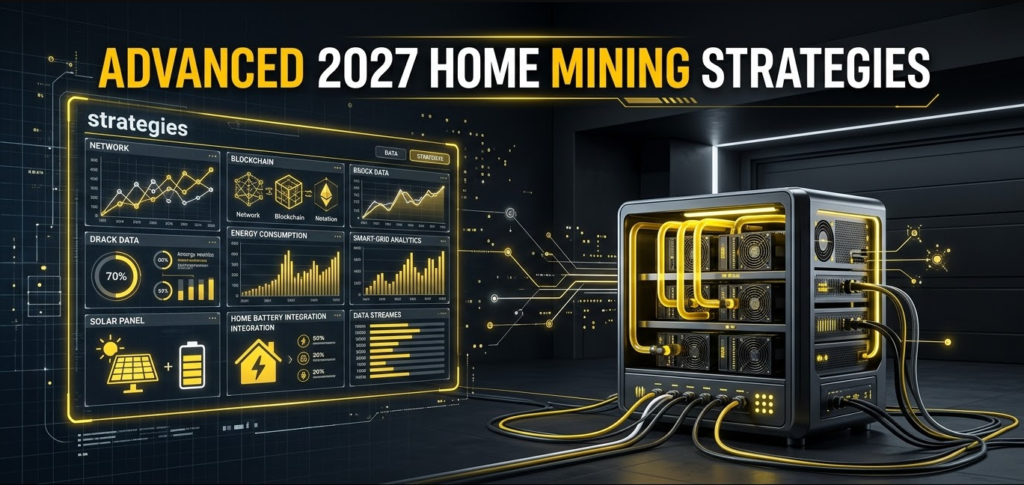
If you told me you wanted to start mining in 2027, I wouldn’t immediately recommend a giant rig.
I’d build in stages.
Beginner setup
Start with hardware you already own.
A gaming PC with a capable GPU can teach you almost everything you need to know:
- wallet management;
- pool configuration;
- mining software;
- temperature monitoring;
- power measurement;
- undervolting;
- profitability tracking.
This approach minimizes your financial risk.
Intermediate setup
If the experiment works, consider a dedicated GPU rig.
At this stage, I’d focus heavily on:
- watts per hash;
- airflow;
- PSU efficiency;
- GPU resale value;
- noise;
- maintenance.
A smart GPU rig should be designed around efficiency rather than maximum clocks.
Advanced setup
Only after understanding your electricity and local electrical infrastructure would I consider a dedicated ASIC.
At that point, the project starts looking more like infrastructure engineering.
You need:
- dedicated circuits;
- appropriate voltage;
- high airflow;
- noise management;
- temperature control;
- remote monitoring;
- reliable networking.
And if you’re operating several kilowatts continuously, professional electrical advice becomes much more valuable than another YouTube tutorial.
FAQ
Is crypto mining still profitable at home in 2027?
It can be, but profitability cannot be guaranteed in advance.
Your result will depend primarily on electricity cost, hardware efficiency, coin price, network difficulty, block rewards and equipment cost. The 2024 Bitcoin halving reduced the BTC block subsidy to 3.125 BTC, and that reward remains the baseline entering 2027. (bitcoin.org)
For most beginners, I would treat home mining as an engineering and experimentation project first and an investment second.
How do I start mining crypto on my gaming PC?
The easiest route is to use an existing gaming PC, create a secure wallet, select a compatible Proof-of-Work cryptocurrency, install reputable mining software, configure a pool, and then monitor hashrate, power consumption and temperatures.
Don’t begin by buying expensive hardware.
Start with what you already have and measure the actual results.
What is the best cryptocurrency to mine at home?
There is no permanent answer.
For CPU mining, Monero is a notable example because its RandomX algorithm is designed around general-purpose CPU hardware, and XMRig provides dedicated RandomX mining support. (GitHub)
For GPUs, the answer can change rapidly depending on algorithm economics and coin prices. For ASICs, the right cryptocurrency depends almost entirely on the machine’s algorithm compatibility and efficiency.
The best coin for you is therefore the one that produces the strongest risk-adjusted economics for your particular hardware and electricity price, not necessarily the coin topping a profitability chart today.
Why can’t I mine Ethereum anymore?
Ethereum stopped using Proof-of-Work when The Merge was completed on September 15, 2022. Mining was replaced by Proof-of-Stake validation, meaning GPUs and ASICs can no longer mine ETH on Ethereum’s main network. (ethereum.org)
If someone tells you to download software that “mines ETH directly on Ethereum” in 2027, be extremely skeptical.
How much electricity does a home crypto mining rig use?
It depends entirely on the hardware.
A gaming PC might consume a few hundred watts under a mining workload, while a modern Bitcoin ASIC can consume several kilowatts continuously. For perspective, Bitmain’s S21 specification lists 3,500 W at 200 TH/s. (Hỗ Trợ BITMAIN)
The important figure isn’t just the wattage, though. You should calculate energy consumed per unit of computational work, then multiply the resulting energy requirement by your actual electricity price.
What is a mining pool and why do I need one?
A mining pool combines the computing power of many miners so that rewards can be distributed more regularly.
Solo mining is technically possible, but a small home miner has a very low probability of finding blocks on major networks independently. A pool reduces payout variance by aggregating hashrate and distributing rewards according to its payout rules.
If you use a service such as NiceHash, remember that its model differs from a traditional pool because it operates as a marketplace where buyers purchase hashing power from sellers. (NiceHash)
Is GPU mining still worth doing if mining profits are low?
It can be, especially if you already own the GPU.
This is where I think the 2027 home-mining conversation gets more interesting. A GPU can potentially serve several markets rather than being permanently tied to one cryptocurrency.
You might mine when crypto economics are favorable, provide rendering capacity through a distributed GPU network such as Render, or provide compute resources through a decentralized cloud marketplace such as Akash, depending on hardware compatibility and technical requirements. (Render Network)
That optionality can make a GPU more economically resilient than a single-purpose ASIC.
Final Thoughts: Mine Like an Engineer, Not Like a Gambler
If there is one thing I want you to take away from this guide, it’s this:
Home crypto mining in 2027 is not primarily about finding a magical coin. It’s about controlling your cost structure.
The hardware is only one piece of the puzzle.
Your electricity price matters. Your cooling design matters. Your network matters. Your ability to tune hardware matters. Your choice of pool matters. Even the value you assign to the heat produced by the machine can change the calculation.
Bitcoin is still mineable, but modern Bitcoin ASICs operate at a completely different scale from the old days. A machine such as the S21 can consume 3,500 W continuously, which means home Bitcoin mining needs to be approached as a serious electrical and thermal project rather than a casual PC hobby. (Hỗ Trợ BITMAIN)
At the same time, Ethereum is no longer part of the mining equation because its Proof-of-Work era ended with The Merge in 2022. (ethereum.org)
That leaves home miners with a broader but more complicated landscape: CPU-oriented networks, GPU-mineable algorithms, specialized ASICs, storage-based systems, and potentially decentralized compute markets.
Personally, I would start small.
Use hardware you already own. Measure wall power with a real meter. Track revenue for several weeks. Learn how difficulty changes. Experiment with undervolting. Watch temperatures. Calculate your actual cost per coin rather than trusting a profitability screenshot.
Then, and only then, decide whether buying more hardware makes sense.
Because the smartest home miner isn’t necessarily the person with the biggest hashrate.
It’s the person who understands exactly how much every hash costs-and has a plan for what that hardware can do when mining is no longer the most profitable thing to do with it.