

The most important thing to understand is that buying an expensive hardware wallet does not automatically make your crypto safe. Your security depends on the entire system: the device, its firmware, the software you connect it to, the way you verify transactions, and-above all-the way you create and protect your recovery phrase.
That is why I look at hardware wallets less like “crypto USB sticks” and more like specialized signing computers. They are deliberately limited machines whose job is to keep your most sensitive cryptographic secrets away from the general-purpose computer or phone you use every day.
What Is a Hardware Crypto Wallet?
A hardware crypto wallet is a physical device designed to generate, protect, and use cryptocurrency private keys while keeping those keys isolated from ordinary internet-connected computing environments.
That last part is what matters.
When you use a normal software wallet, the wallet application runs on a computer or smartphone that may also contain browsers, messaging apps, extensions, downloads, games, and countless other pieces of software. Even if the wallet itself is well designed, it exists inside a much larger environment.
A hardware wallet creates another boundary.
Your computer can prepare a transaction, but the sensitive signing operation happens inside the hardware device. You then review important transaction details on the wallet’s own display and physically authorize the operation.
For example, Ledger describes its Nano X as using a dual-chip architecture in which the Secure Element holds sensitive information such as private keys and the recovery phrase, while the companion microcontroller acts as an interface between the device and external systems. (Ledger)
This separation is the basic security philosophy behind hardware wallets.
It is also why I would avoid describing one as a “device that stores your coins.” That wording sounds intuitive, but technically it is wrong.
Your Bitcoin, Ether, stablecoins, NFTs, and other assets remain recorded on their respective blockchains. The hardware wallet stores the cryptographic secrets that give you the authority to sign transactions affecting those assets.
Think of it this way: the blockchain is the vault, while your private key is the authorization mechanism that tells the vault you are allowed to move something.
Hot Wallets vs. Cold Storage
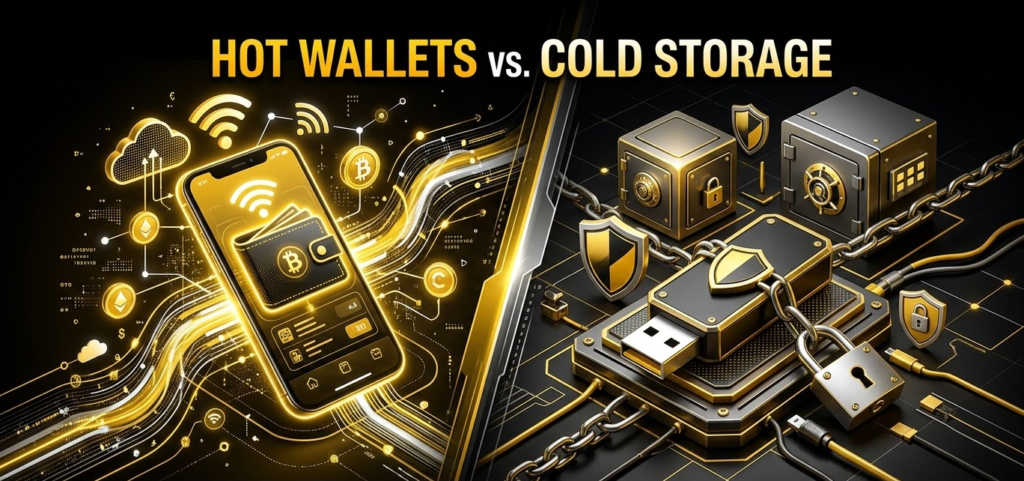
The easiest way to understand hardware wallets is to compare them with hot wallets.
A hot wallet is generally a software wallet connected to an internet-enabled device. MetaMask, Rabby, mobile wallets, browser wallets, and desktop wallets can all fall into this broad category.
They are convenient because you can interact with decentralized applications almost instantly.
That convenience comes with a larger attack surface.
A browser extension can interact with websites. Your operating system processes thousands of applications and services. Your browser can encounter malicious pages. You can install a fake extension. You can accidentally expose a recovery phrase.
Cold storage takes a different approach.
The idea is to minimize the exposure of private keys by keeping them inside a dedicated signing environment. The device may still communicate with your computer or smartphone, but the private key itself should not be transmitted to that external system.
Trezor describes its security model similarly: private keys are generated on the device and kept there rather than being exposed to the internet, while its software and hardware design are open for public auditing. (Trezor)
The distinction can be summarized like this:
| Feature | Hot Wallet | Hardware Wallet |
|---|---|---|
| Private key environment | Software | Dedicated hardware |
| Internet exposure | Higher | Reduced |
| Convenience | Very high | High |
| Transaction confirmation | Usually software-based | Device-based |
| Physical interaction | Usually unnecessary | Usually required |
| Best use | Frequent transactions | Long-term self-custody |
Neither category is automatically “safe” or “unsafe.”
A hardware wallet reduces certain risks. It does not eliminate user error, phishing, malicious smart contracts, compromised addresses, or poor seed-phrase management.
That distinction becomes extremely important once you start using DeFi.
The Biggest Hardware Wallet Misconception
Here is the misconception I see constantly: your hardware wallet does not contain your cryptocurrency.
If you lose a hardware wallet, the blockchain does not suddenly forget that your Bitcoin exists.
Your assets remain on-chain.
What you potentially lose is access to the private keys needed to authorize transactions.
This is why the recovery phrase is arguably more important than the physical device itself.
If your device is destroyed but you still have the correct recovery phrase, you can generally restore the wallet using another compatible device. If your device is perfectly intact but someone obtains your recovery phrase, the attacker may be able to recreate the wallet elsewhere and move the funds.
So when you buy a hardware wallet, you are not really buying a vault full of coins.
You are buying a specialized security environment for controlling cryptographic keys.
How Hardware Wallets Secure Digital Assets
The Cryptographic Engine
At the heart of a hardware wallet is public-key cryptography.
The device generates or imports cryptographic material from which wallet addresses can be derived. Your public information can be shared with networks and applications, while the private component must remain secret.
The private key is what ultimately authorizes a transaction.
A simplified transaction flow looks like this:
Private key → cryptographic signature → blockchain verification
The network does not need your private key to verify the signature. It only needs enough public information to determine whether the signature is valid.
This asymmetry is what makes self-custody possible.
The hardware wallet therefore does not need to expose your private key to your computer simply because your computer wants to send Bitcoin or another asset.
Instead, the computer prepares the transaction and asks the hardware wallet to sign it.
Offline Transaction Signing
Suppose you open a Web3 application through MetaMask or Rabby and want to move some tokens.
The process is roughly:
- You create a transaction using your software wallet interface.
- The unsigned transaction is passed to the hardware wallet.
- The hardware wallet processes the transaction internally.
- The device displays important transaction information for confirmation.
- You physically approve the transaction.
- The device generates the cryptographic signature.
- The signed transaction is returned to the connected application.
- The application broadcasts it to the blockchain.
The crucial detail is that the private key does not need to leave the hardware device.
Ledger explains the Nano X architecture in similar terms: transactions can be prepared externally and passed to the Secure Element, which performs the sensitive cryptographic operations and requires user confirmation before signing. (Ledger)
This is the security boundary you are paying for.
Your laptop could theoretically be infected with malware, yet an attacker still has to overcome the hardware wallet’s transaction-confirmation mechanism rather than simply extracting a private key from the computer’s memory.
That is a substantial improvement over keeping the private key entirely inside ordinary software.
The BIP39 Seed Phrase: Your Real Master Backup
Most hardware wallets use a recovery-phrase system based on standards such as BIP39.
You may know this as the familiar 12- or 24-word phrase generated when setting up a wallet.
Those words are not a password in the conventional sense.
They represent a human-readable backup of wallet entropy from which the wallet’s cryptographic keys can be derived.
This creates a very important rule:
Never enter your recovery phrase into a website, browser extension, online form, cloud document, email, or ordinary computer unless you intentionally understand the security consequences of doing so.
A legitimate hardware-wallet support representative should not need your recovery phrase.
Neither should a random person offering to “help recover” your crypto.
If someone asks for those words, assume they are trying to obtain control of the wallet.
The physical device can be replaced.
The seed phrase cannot be casually regenerated if the original is lost.
That is why I would spend more time thinking about seed storage than choosing between two devices with similar security specifications.
Comparing the Best Hardware Crypto Wallets of 2027

There is no universal “best hardware wallet.”
The better question is: best for what?
A Bitcoin-only user who wants maximum isolation may prioritize a completely different design from someone who spends every day interacting with Ethereum DeFi.
The following comparison reflects the models and characteristics in the requested selection, but specifications and retail pricing can change, so you should verify the current manufacturer’s listing before purchasing.
| Brand & Model | Security Architecture | Form Factor | Connectivity | Best For |
|---|---|---|---|---|
| Ledger Nano X | Secure Element, CC EAL5+ | Compact OLED device | USB-C, Bluetooth | Multi-asset and mobile users |
| Trezor Model T | Open-source architecture | Color touchscreen | USB-C | Users prioritizing transparency |
| COLDCARD Mk4 | Dual Secure Elements | Bitcoin-focused keypad | MicroSD, USB-C, NFC | Bitcoin-focused cold storage |
| BitBox02 | Secure Element + open-source software | Compact device | USB-C | Simplicity and self-custody |
Ledger Nano X
The Ledger Nano X remains attractive if you want broad asset support and mobile connectivity without moving into a larger desktop-oriented device.
Its architecture uses a Secure Element and the device includes Bluetooth connectivity. Ledger’s current documentation lists the Nano X’s Secure Element as CC EAL5+ certified, while its product specifications identify USB-C and Bluetooth as connectivity options. (Ledger)
The benefit is convenience.
You can connect it to a smartphone rather than treating your hardware wallet like a permanently tethered desktop security appliance.
The compromise is that you are choosing a more complex product architecture than a minimalist Bitcoin-only signer.
If your primary use case is holding BTC for years and occasionally signing PSBT transactions, you may not need Bluetooth, a large multi-asset ecosystem, or dozens of integrations.
Trezor Model T
Trezor takes a different philosophical approach.
Its strongest selling point has historically been transparency. Trezor states that its device software is open source and designed to be publicly auditable, allowing researchers and users to inspect the implementation rather than relying entirely on proprietary firmware assumptions. (Trezor)
For some users, that philosophy matters more than having a particular hardware security certification.
The Model T’s touchscreen also changes the user experience compared with small button-based devices.
That becomes useful when you’re checking addresses, interacting with multiple assets, or working with more complex transaction flows.
The downside is that touchscreens and larger interfaces can increase hardware complexity. There is no free lunch in hardware design.
COLDCARD Mk4
COLDCARD is a particularly interesting option for serious Bitcoin self-custody.
Its design is heavily focused on minimizing unnecessary connectivity. The manufacturer describes the Mk4 as using two Secure Elements from different vendors and supporting air-gapped workflows using microSD cards. (COLDCARD)
That is a very different philosophy from “plug it into your laptop and manage everything from an app.”
With an air-gapped workflow, transaction information can be transferred without requiring the signing device to maintain a normal computer connection.
For a Bitcoin-only holder who values isolation above convenience, that is compelling.
The trade-off is obvious: you need to be comfortable with a more technical workflow.
If you are constantly swapping tokens across DeFi protocols, a Bitcoin-only air-gapped signer may feel unnecessarily restrictive.
BitBox02
The BitBox02 sits somewhere between simplicity and advanced self-custody.
BitBox states that its source code has been independently audited and is fully open source, while the device also incorporates a Secure Element. (BitBox)
That combination is interesting because it avoids framing the security discussion as simply “secure chip versus open source.”
You can have hardware-assisted protection while still placing substantial emphasis on publicly inspectable software.
For a user who wants a relatively clean setup without getting buried in advanced Bitcoin signing workflows, the BitBox02 can make sense.
Form Factors and Hardware Limitations
Hardware design is not just about security chips.
The physical interface matters because the device itself is part of your verification process.
A tiny OLED screen is compact and energy efficient, but it may be uncomfortable when reviewing long addresses or complicated smart-contract interactions. Ledger’s Nano X, for example, uses a small monochrome OLED display. (Ledger)
A touchscreen gives you more room for information but introduces additional components.
A keypad can be excellent for deliberate Bitcoin signing but less convenient for someone managing a broad multi-chain portfolio.
Then there is battery technology.
A wallet with an internal battery can be convenient for mobile use, but batteries naturally age. A device designed primarily for stationary cold storage does not necessarily benefit from having one.
This is one reason I would choose based on your actual workflow rather than simply buying the model with the longest feature list.
Secure Element vs. Open Source Firmware
One of the most interesting debates in hardware-wallet security is whether you should prioritize a Secure Element or an open-source architecture.
The answer is not binary.
A Secure Element is a specialized security component designed to make extraction of sensitive secrets more difficult, particularly against physical attacks.
Ledger says its Secure Elements have undergone Common Criteria evaluation and that the relevant chips used in its products have achieved EAL5+ certification. (Ledger)
Open-source design offers a different advantage.
It allows researchers and technically capable users to inspect the software rather than relying solely on the manufacturer’s assurances.
Trezor explicitly emphasizes this model, stating that its software is open source and auditable. (Trezor)
So the practical trade-off looks something like this:
| Approach | Main Strength | Main Trade-off |
|---|---|---|
| Secure Element | Stronger resistance to certain physical extraction attacks | Some internals may remain proprietary |
| Open Source | Greater public inspectability | Open source alone does not prevent physical attacks |
| Both approaches | Can combine multiple defenses | Greater hardware/software complexity |
I would not reduce this to “Ledger is safer” or “Trezor is safer.”
Security is a system property.
The quality of the firmware, secure display, transaction parsing, supply-chain process, update mechanism, physical construction, and user behavior all matter.
Defending Against Physical and Remote Attacks
A hardware wallet is designed around the assumption that your computer may eventually become compromised.
That is not paranoia. It is simply good security architecture.
Your browser is exposed to websites.
Your operating system receives updates.
You install applications.
You click links.
You interact with smart contracts.
The hardware wallet creates another layer between that messy environment and your private keys.
PIN protection adds another barrier if the physical device is stolen.
Secure displays can help you verify transaction details directly on the signer rather than trusting whatever your computer claims it is sending.
Some devices add tamper-resistant construction or secure elements intended to make physical extraction harder.
But none of these defenses should create a false sense of invulnerability.
If an attacker convinces you to reveal your recovery phrase, the hardware security model has effectively been bypassed by social engineering.
The Blind-Signing Problem
This is one of the most important points in the entire article.
A hardware wallet can protect your private key while you still voluntarily sign away your assets.
Imagine that you connect your wallet to a fake DeFi website.
The site asks you to approve a token allowance.
You see something that looks legitimate on your computer.
You click through.
Your hardware wallet asks for confirmation.
You press the button.
The cryptographic signature may be perfectly valid.
The blockchain executes it.
The problem is not that the hardware wallet failed.
The problem is that you authorized a malicious transaction.
Ledger itself emphasizes that its security architecture cannot protect users from their own mistakes or scams; user awareness remains a critical part of the security model. (Ledger)
This is why transaction transparency matters.
If your wallet can clearly show what you’re signing, you have a better opportunity to catch something suspicious before approving it.
Never assume:
“If my hardware wallet asks me to sign it, it must be safe.”
That is not how cryptographic authorization works.
The device can prove that you authorized the transaction. It cannot automatically determine whether you actually wanted the economic consequences of that transaction.
Smart Contracts Change the Security Equation
Sending 0.1 BTC to a known address is conceptually straightforward.
Interacting with a complex smart contract is different.
You may be signing:
- Token approvals
- NFT marketplace transactions
- DeFi deposits
- Permit signatures
- Staking contracts
- Governance transactions
- Upgradeable-contract interactions
- Contract calls containing multiple internal operations
The more complicated the transaction, the more important transaction interpretation becomes.
This is why a hardware wallet should be considered a secure signing device, not a magical fraud detector.
If you frequently use DeFi, you should learn to distinguish a simple transfer from a smart-contract interaction and understand token approvals, spender addresses, and permission scopes.
That knowledge will protect you far more effectively than simply upgrading from a $100 device to a $200 device.
How to Buy a Hardware Crypto Wallet Safely
Buy From the Manufacturer
Supply-chain security begins before you even turn the device on.
The safest general approach is to purchase directly from the manufacturer’s official store or an explicitly authorized distribution channel.
For example, you can verify current Ledger Nano X availability and specifications through the official Ledger store rather than relying on an unfamiliar marketplace listing. Source: Ledger Nano X official store
Likewise, Trezor maintains its own official hardware-wallet storefront and security documentation, which is preferable to an unknown second-hand source. Source: Trezor official website
I would avoid buying used hardware wallets.
I would also be extremely cautious with marketplace sellers whose supply chain you cannot verify.
The concern is not simply whether the device “looks new.”
You need confidence that the device has not been manipulated, substituted, or accompanied by a recovery phrase that someone else already knows.
What a Legitimate Setup Should Look Like
When setting up a new device, the recovery phrase should be generated by the device according to the manufacturer’s documented setup process.
You should not receive a wallet that already contains a pre-written seed phrase.
You should not be asked to type a supplied recovery phrase into your device.
You should not photograph the phrase.
You should not store it in Google Drive, Dropbox, email, Notes, screenshots, or a password manager unless you deliberately understand the security model and accept the additional risks.
For long-term holdings, I prefer thinking about the recovery phrase as a physical secret rather than a digital password.
That means physical backup methods become relevant.
Protecting the Seed Phrase
A paper backup is better than storing the phrase online, but paper has obvious physical weaknesses.
It can burn.
It can get wet.
It can deteriorate.
It can be accidentally thrown away.
For significant holdings, metal backups can make sense because they can provide better resistance to environmental damage.
You can also consider distributed backup schemes.
Shamir Backup, associated with standards such as SLIP39, allows a secret to be divided into multiple shares so that a predefined threshold of shares is needed for recovery.
For example, instead of one phrase existing in one physical location, a user could create a threshold arrangement where several independent pieces are required.
That can reduce the risk that one burglary or one house fire destroys the only backup.
But complexity creates its own risk.
If you create an elaborate five-location recovery system and forget how it works, you may have technically improved redundancy while practically making recovery harder.
Security should always be understandable enough that you can actually operate it correctly.
A Practical Hardware Wallet Security Checklist
Before transferring serious funds, I would walk through this checklist:
- Buy from the manufacturer or a clearly authorized source.
- Verify the device setup according to official instructions.
- Generate the recovery phrase yourself.
- Never accept a pre-generated seed phrase.
- Write the recovery phrase offline.
- Never photograph or upload it.
- Verify transaction details on the hardware wallet’s own screen.
- Keep firmware updated according to the manufacturer’s process.
- Use a strong device PIN.
- Avoid unnecessary wallet integrations.
- Review token approvals regularly when using DeFi.
- Test recovery with a small amount before committing large funds.
- Keep your recovery backup physically secure.
- Never disclose the recovery phrase to “support.”
That last point deserves repetition.
No legitimate support representative needs your seed phrase to fix your wallet.
Hardware Wallets Are Not the Same as Multisig
If you are protecting a substantial treasury, a single hardware wallet may not be enough.
Multisignature systems can require multiple independent keys to authorize a transaction.
For example, a 2-of-3 configuration can require two of three independent signers.
That means losing one device does not necessarily destroy access, while compromising one key does not necessarily give an attacker complete control.
For individual users, this can be unnecessary complexity.
For businesses, DAOs, family offices, or significant long-term holdings, multisig can provide a much stronger operational model than relying on one device and one seed phrase.
The important point is that hardware wallets and multisig solve different problems.
A hardware wallet protects a key.
Multisig changes how many keys are required.
You can use both.
How I Would Choose a Hardware Wallet
If I were selecting one today, I would start with the asset mix rather than the brand.
If you hold many different assets
A Ledger-style multi-asset ecosystem makes sense when you want broad support and mobile connectivity. The Nano X combines Bluetooth and USB-C connectivity with a Secure Element architecture. (Ledger)
If open-source transparency is your priority
Trezor is attractive because its software has long been built around public auditability and open-source development. (Trezor)
If you are a serious Bitcoin-only user
COLDCARD’s air-gapped workflow and dual Secure Element design make it particularly compelling when minimizing connectivity is more important than convenience. (COLDCARD)
If you want simplicity with open-source foundations
BitBox02 offers an interesting middle ground, combining a Secure Element with open-source software and an intentionally minimalist user experience. (BitBox)
There is no prize for choosing the most complicated wallet.
The best wallet is the one whose security model you understand and can consistently operate correctly.
What Happens If You Lose Your Hardware Wallet?
Losing the physical device does not automatically mean losing the crypto.
If you still have the correct recovery phrase, you can generally restore the wallet using a compatible replacement device.
That is precisely why your seed phrase must be protected as carefully as-or more carefully than-the hardware wallet itself.
However, there is an important distinction between losing the device and losing the seed phrase.
Lost device, seed phrase available
Usually recoverable.
Device destroyed, seed phrase available
Usually recoverable.
Device stolen, seed phrase secure
Your funds may remain protected, depending on the wallet’s security configuration and whether the attacker can overcome the device’s protections.
Seed phrase stolen
Potentially catastrophic.
Seed phrase lost and device unavailable
Potentially unrecoverable.
That hierarchy explains why the seed phrase is the true root of self-custody.
Can a Hardware Wallet Be Hacked?
Yes-but “hacked” needs to be defined carefully.
A hardware wallet can face physical attacks, firmware vulnerabilities, supply-chain attacks, malicious software, phishing, and side-channel research.
But many of the most realistic losses do not involve someone remotely breaking the cryptography inside the device.
They involve the user.
A victim may install a fake wallet application.
They may enter the recovery phrase into a phishing page.
They may approve a malicious token allowance.
They may send funds to a fake address.
They may purchase a compromised device.
They may trust a fraudulent support account.
The technical security of the device is therefore only one part of the overall security model.
Why Hardware Wallets Are Still Worth Using
Despite all these caveats, hardware wallets remain one of the most useful tools available for serious self-custody.
They solve a fundamental problem.
Your everyday computer is a general-purpose machine.
You browse the internet with it.
You install software.
You open email.
You connect USB devices.
You visit unfamiliar websites.
You cannot realistically make that environment perfectly secure.
A hardware wallet narrows the trusted computing base.
Instead of asking your entire computer to protect a private key, you ask a dedicated device to protect it.
That is a much more manageable security problem.
And if you combine the device with a carefully protected recovery phrase, transaction verification, sensible software hygiene, and-where appropriate-multisig, you can create a very robust self-custody setup.
Frequently Asked Questions
What is a hardware crypto wallet and how does it work?
A hardware crypto wallet is a physical self-custody device designed to keep cryptocurrency private keys isolated from ordinary internet-connected computers and smartphones.
When you initiate a transaction, the external wallet application prepares the transaction and sends the necessary data to the hardware device. The device signs the transaction internally, normally after requiring physical confirmation, and sends the signed result back without exposing the private key.
This is fundamentally different from keeping your private key entirely inside a software wallet.
Do hardware wallets actually store cryptocurrency?
No.
Your cryptocurrency remains recorded on its blockchain.
The hardware wallet protects the cryptographic keys that authorize transactions involving those assets. If you lose the device but still possess the correct recovery phrase, you can generally restore access using another compatible wallet.
The physical device is therefore better understood as a secure key-management and transaction-signing environment.
What happens if I lose my hardware crypto wallet?
If you still have your recovery phrase, you can normally restore the wallet on a compatible replacement device.
The more serious situation is losing the recovery phrase itself.
That is why you should treat the recovery phrase as the ultimate backup and keep it offline in a secure physical location. For larger holdings, consider a durable physical backup and, where appropriate, a carefully designed distributed recovery system.
Is it possible for a hardware wallet to be hacked?
No security system should be described as impossible to hack.
Hardware wallets are specifically designed to make private-key extraction and remote compromise much more difficult, but they cannot protect against every attack.
Phishing, malicious smart contracts, compromised software, physical attacks, supply-chain manipulation, and stolen recovery phrases can still lead to losses.
The device protects the key. You still control the authorization decisions.
Should I buy a hardware wallet from Amazon or the manufacturer?
For maximum confidence in the supply chain, buying directly from the manufacturer’s official store is the safer default.
You can verify the current Nano X directly through Ledger’s official product page, including its Secure Element, connectivity, display, and other specifications. Source: Ledger Nano X product page
For Trezor, use the company’s official website and security documentation rather than relying on an unknown third-party seller. Trezor also publishes its security architecture and open-source approach publicly, making it easier to verify what you’re actually buying. Source: Trezor official security information
The goal is not simply to receive a device that turns on.
You want confidence that the device and its setup process have not been compromised before they reach you.
Final Thoughts: The Device Is Only One Layer of Security
The biggest mistake you can make with a hardware crypto wallet is assuming that buying the device completes your security setup.
It does not.
A hardware wallet gives you a strong foundation for self-custody, but your final security posture depends on everything surrounding it: where you bought it, how you generated the seed, where you stored the backup, what software you connect to, what transactions you approve, and whether you actually read what appears on the device screen.
For me, the most useful way to think about the entire system is simple:
The hardware protects the key. The blockchain protects the record. You protect the recovery phrase and decide what gets signed.
That division of responsibility makes the technology much easier to understand.
If you are holding a small amount of crypto for experimentation, a hot wallet may be perfectly practical. But once the amount becomes financially meaningful, moving the private keys into a properly configured hardware wallet can dramatically reduce the number of ways an ordinary malware infection or compromised computer can turn into a catastrophic loss.
And remember one final thing: the most expensive hardware wallet is not necessarily the safest one for you.
A simpler device that you understand, configure correctly, and use consistently is often far better than an advanced device whose security model you never learn.
Self-custody is not about owning the fanciest wallet. It is about controlling the keys without making yourself the weakest link.