
The Mobile Web3 Revolution
A few years ago, crypto wallets were mostly desktop software or browser extensions. Today, your phone can do almost everything: hold assets, swap tokens, connect to DeFi, sign NFT transactions, interact with DAOs, buy crypto with fiat, and even communicate with a hardware wallet.
That convenience is exactly why mobile wallets have become such an important part of the crypto experience.
But there is a catch. Your phone is also an internet-connected computer that you carry everywhere. It has cameras, microphones, cellular connectivity, Bluetooth, Wi-Fi, cloud services, biometric authentication, and dozens-or hundreds-of other apps competing for access to the device. So when you choose a mobile crypto wallet, you are not simply choosing an interface. You are choosing a particular security model.
I like to think of a mobile wallet as a digital pocket wallet. It is incredibly useful for the money you actually spend or move around, but you probably would not put your entire net worth in it just because the wallet has a nice interface.
That distinction becomes important as we move through the different wallet categories.
What exactly is a mobile crypto wallet?
A mobile crypto wallet is a software application designed to manage blockchain accounts and private keys from a smartphone or tablet. Depending on the wallet, it can support one network, such as Bitcoin, or dozens of ecosystems including Ethereum, Solana, Bitcoin, Base, BNB Chain, and others.
The wallet itself does not physically contain your coins.
Your crypto remains recorded on the relevant blockchain. The wallet manages the cryptographic credentials that allow you to prove control over those assets and authorize transactions.
That is why losing a phone does not automatically mean losing your crypto. If you have properly backed up the wallet’s recovery credentials, you can install compatible wallet software on another device and restore access.
The phone is replaceable. Your recovery secret is not.
The app-uninstallation fallacy
This is one of the first things I would explain to anyone starting with mobile crypto.
Deleting a wallet app does not delete your Bitcoin, ETH, SOL, or tokens from the blockchain. Likewise, losing your phone does not erase your blockchain accounts.
What you lose is the local interface and, potentially, the local copy of the keys that the application uses.
If your wallet was created from a standard recovery phrase and you still have that phrase, you can normally restore the wallet on another compatible device. Of course, compatibility matters: different networks, derivation paths, account formats, and wallet implementations can affect exactly how restoration works.
There is another subtle issue that beginners often miss: uninstalling a wallet does not undo blockchain permissions.
Suppose you connected your wallet to a DeFi application and approved a smart contract to spend a particular token. Removing the wallet app does not magically cancel that approval. The permission exists on-chain.
So if you ever suspect that you interacted with a malicious DApp, think beyond simply deleting the application. You may need to review and revoke token permissions as well.
Smartphone Hardware Security: How Your Phone Protects Keys
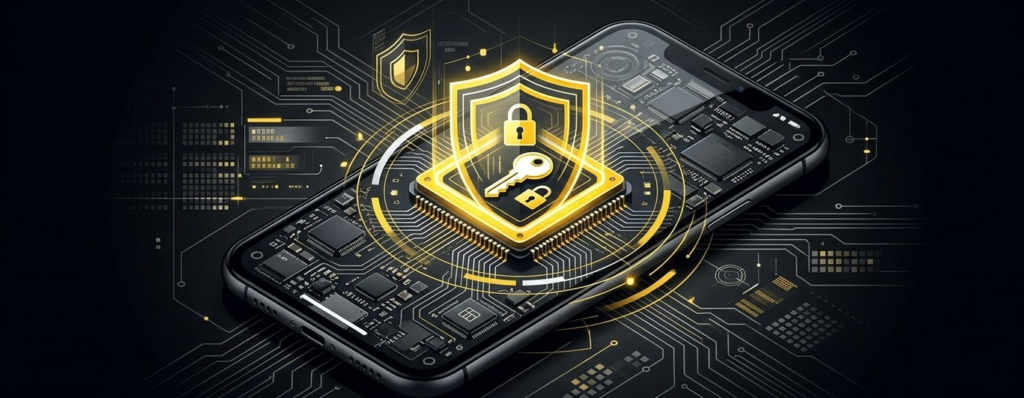
Modern smartphones are considerably more sophisticated from a security perspective than the “wallet app sitting in a folder” mental model suggests.
Both Apple and Android provide hardware-backed security mechanisms that applications can use to protect cryptographic material. But there is an important distinction: the existence of Secure Enclave or Android Keystore does not automatically mean every crypto wallet’s private key is stored inside those systems.
The wallet developer decides how keys are generated, encrypted, stored, and used.
That distinction is easy to overlook.
Apple Secure Enclave
On compatible Apple devices, the Secure Enclave is a dedicated security subsystem integrated into Apple’s system-on-chip architecture. Apple describes it as isolated from the main processor and designed to protect sensitive information even if the Application Processor’s kernel is compromised. (Apple)
It also provides hardware-assisted cryptographic capabilities and protected memory. Apple’s documentation describes hardware-backed mechanisms for cryptographic keys, including support for elliptic-curve operations and protections designed to resist certain side-channel attacks. (Apple)
This creates a useful security boundary.
Instead of thinking, “My wallet app stores a secret somewhere in the phone,” think of the architecture as several layers:
Wallet application → iOS security services → protected cryptographic hardware → authorization by the user
Face ID can then become part of the authentication flow. Apple explains that facial matching is performed within the Secure Enclave, while its secure-intent mechanism provides an additional way of confirming that the user actually authorized a sensitive operation. (Apple)
For everyday use, this is excellent.
You open your wallet, authenticate yourself, approve an action, and the operating system handles much of the security machinery underneath.
But don’t confuse device authentication with blockchain transaction verification.
Face ID can help prove that you are the person using the device. It does not tell you whether the smart contract transaction you are about to sign is malicious.
That is still your job.
Android Keystore and hardware-backed protection
Android has a comparable security architecture through the Android Keystore system.
Google’s documentation explains that Keystore can make cryptographic key material non-exportable and can restrict how keys are used. On supported devices, keys can be bound to secure hardware such as a Trusted Execution Environment or StrongBox. (Android Developers)
StrongBox goes further by providing an isolated implementation with its own processor, secure storage, random-number generation, and additional tamper-resistance mechanisms. Google specifically positions it for applications with higher security requirements, including resistance to physical and side-channel attacks. (Android Developers)
Again, though, there is no magic button labeled “crypto security.”
A wallet may use Android’s hardware-backed services extensively, partially, or not at all depending on its architecture.
So when you evaluate a mobile wallet, don’t just look at whether the app says “biometric security.” Look at what actually happens to the key.
Biometrics are a gateway, not a recovery system
Face ID, Touch ID, fingerprint authentication, and Android biometric prompts are fantastic for daily convenience.
They are not your recovery phrase.
If your wallet uses a seed phrase, the seed remains the ultimate recovery credential. Your fingerprint cannot restore a Bitcoin wallet on a completely new device unless the wallet’s architecture has a separate recovery mechanism.
This is why I always separate two questions:
- How do I unlock the wallet today?
- How do I recover the wallet if this phone disappears tomorrow?
The first question is usually answered with a passcode or biometric authentication.
The second is answered by your recovery architecture.
Mobile vs. desktop vs. hardware wallet security
There is no universal winner here because the threat model changes.
A modern phone benefits from aggressive application sandboxing and hardware-backed security. Apple’s platform security documentation, for example, describes app sandboxing and other mechanisms designed to restrict how applications access user data. (Apple)
A desktop computer, meanwhile, is often a much more open environment. Users install browser extensions, executables, developer tools, cracked software, remote-access utilities, and all sorts of other programs. That flexibility is powerful, but it creates a larger attack surface.
Dedicated hardware wallets go in the opposite direction. Instead of trying to make a general-purpose computer perfectly secure, they isolate transaction signing into a purpose-built device.
So the rough hierarchy looks like this:
| Environment | Convenience | Typical Security Model | Best Use |
|---|---|---|---|
| Mobile wallet | Very high | OS sandbox + software security | Everyday transactions |
| Desktop wallet | High | OS + application security | Advanced Web3 activity |
| Hardware wallet | Medium | Dedicated signing environment | Long-term holdings |
| Multisig / institutional custody | Lower | Multiple independent controls | Large treasury balances |
Mobile wallets are not inherently “unsafe.” They are simply designed for a different balance between security and accessibility.
Top Mobile Crypto Wallets of 2027
There is no single best mobile wallet for everyone. Your ideal choice changes dramatically depending on whether you spend most of your time on Ethereum, Solana, Bitcoin, or across dozens of networks.
Here are the major categories I would consider.
Best multi-chain mobile wallets
Trust Wallet is one of the clearest choices if your portfolio spans multiple ecosystems. Its current product supports iOS, Android, and browser access, and Trust Wallet states that it integrates more than 100 blockchain networks, including Bitcoin, Ethereum, Solana, and BNB Smart Chain. (Trust Wallet)
Its strength is breadth.
If you do not want three different wallet applications simply to manage three different ecosystems, a broad multi-chain wallet can make everyday management much easier.
Exodus Mobile takes a similarly user-friendly approach, putting portfolio management, swaps, and asset access into a relatively polished interface. It tends to appeal to users who care more about simplicity than having every advanced DeFi feature available.
Coinbase Wallet is another strong option for users who already operate within the broader Coinbase ecosystem but want a self-custodial wallet rather than an exchange account. It provides access to Web3 while keeping the private-key model separate from ordinary exchange custody.
For a beginner, that separation is worth understanding.
A Coinbase exchange account and Coinbase Wallet are not simply two views of the same custody model.
Best Ethereum and EVM wallets
If Ethereum and EVM-compatible networks are your home base, MetaMask Mobile remains one of the obvious choices.
Its major advantage is ecosystem compatibility. It is deeply integrated into the EVM world, and WalletConnect and deep-link workflows allow the mobile application to act as the signing wallet while the DApp runs elsewhere. MetaMask’s documentation explicitly describes using MetaMask Mobile as a signer through WalletConnect and deep links. (MetaMask)
Rainbow is a more visually focused Ethereum wallet with a strong emphasis on simplicity, NFTs, and DeFi.
Zerion is particularly interesting if you care about portfolio management and interacting with multiple DeFi positions from a single interface.
For someone who spends hours jumping between Ethereum applications, these specialist wallets can feel much more natural than a generic multi-chain wallet.
Best Solana mobile wallets
Phantom is one of the most recognizable wallets in the Solana ecosystem, although it has expanded well beyond Solana.
Phantom’s current product supports multiple networks, including Solana, Ethereum, Bitcoin, Base, Sui, and others. Its current documentation also highlights transaction simulation and scam detection as security features. (Phantom)
That broader support makes Phantom interesting even if you are not exclusively a Solana user.
Backpack is another wallet worth watching for users heavily involved in Solana and the broader Backpack ecosystem.
The important point is that specialist wallets can offer a better experience because they understand the transaction patterns and applications users in a particular ecosystem actually use.
Best Bitcoin and Lightning wallets
Bitcoin users often want something very different from an EVM trader.
BlueWallet is a popular mobile Bitcoin wallet focused on straightforward BTC management and Lightning functionality.
Phoenix is built around Lightning payments and is particularly interesting for users who want Bitcoin primarily as a fast payment network rather than simply as a long-term investment.
Strike approaches Bitcoin from a payments perspective, although its available services depend on jurisdiction.
For Bitcoin-only users, I generally prefer choosing a wallet that understands Bitcoin’s UTXO model and transaction mechanics rather than selecting a generic “supports 1,000 assets” wallet simply because the number looks impressive.
Next-generation smart contract wallets
There is another category that deserves attention: smart contract wallets.
Wallets such as Argent and Safe move away from the traditional assumption that your wallet must be a single private key controlling an externally owned account.
Smart contract wallets can introduce programmable rules such as spending limits, recovery mechanisms, multiple authorized signers, and other controls.
This is part of the broader shift toward account abstraction.
For beginners, the idea can sound complicated, but the practical goal is simple: make crypto accounts behave more like modern digital accounts without giving up self-custody.
Connecting Mobile Wallets to Web3
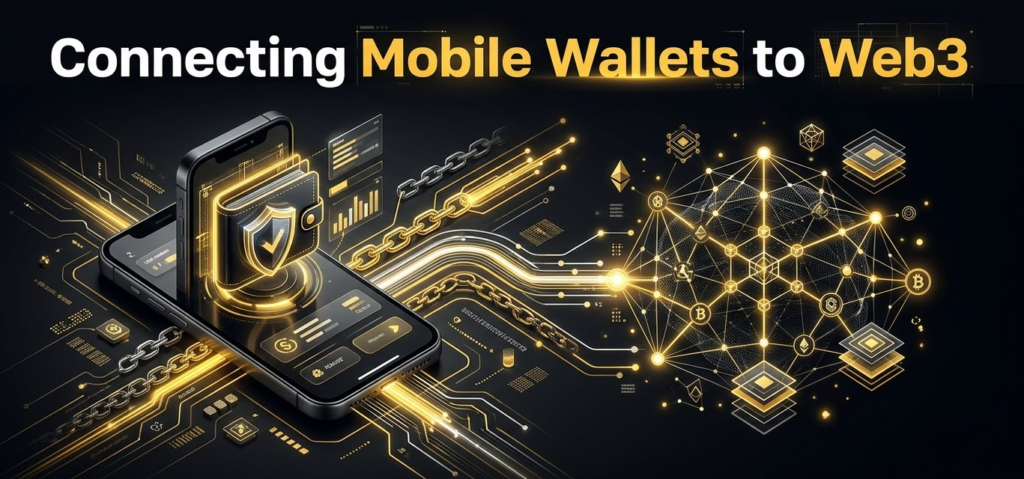
One of the biggest changes in mobile crypto UX has been the move away from forcing everything into a single wallet application.
Instead, you can browse a DApp using Safari or Chrome and then hand the signing request to your wallet.
This is where WalletConnect and mobile deep linking become important.
The old DApp browser problem
Mobile Web3 has had a complicated relationship with app-store rules.
Apple’s current App Review Guidelines specifically recognize cryptocurrency wallets under Guideline 3.1.5, while also placing restrictions on crypto mining and exchange functionality. Wallet apps are permitted to facilitate virtual-currency storage when offered under the stated developer requirements. (Apple Developer)
Historically, these platform rules created friction around in-app DApp browsers and how decentralized applications could distribute digital functionality.
The result was a gradual shift toward a more modular model:
Browser for the website.
Wallet for the keys.
That separation is actually pretty healthy.
How WalletConnect works on mobile
Imagine you are using a DeFi application in Safari.
You tap Connect Wallet.
The DApp generates a connection request. Your wallet receives that request through WalletConnect or another supported linking mechanism. You review the connection inside the wallet and approve it.
The wallet then remains responsible for signing.
WalletConnect describes the relationship as a session between a DApp and wallet, with the wallet approving or rejecting the session proposal and handling signing requests. (GitHub)
Mobile deep links make the process feel almost seamless.
You are browsing in one application, tap a wallet option, and the operating system switches you into the wallet. After you approve or reject the request, the flow can return you to the original DApp.
Trust Wallet’s developer documentation, for example, describes passing a WalletConnect URI through a deep link to connect a mobile browser or DApp to the Trust Wallet mobile application. (Trust Wallet Developer Documentation)
The key security principle is that the DApp never needs your private key.
It requests an action.
Your wallet decides whether to sign it.
A safe mobile DApp workflow
When connecting to a DApp from your phone, I would use this sequence:
- Open the DApp from a trusted bookmark or verified source.
- Check the domain carefully.
- Tap Connect Wallet.
- Select WalletConnect or your wallet’s supported connection method.
- Review the requested network and account.
- Approve the connection only if you recognize the DApp.
- For transactions, inspect the transaction details before signing.
- Disconnect sessions you no longer use.
The important part is step seven.
Connecting a wallet and signing a transaction are two different security decisions.
Advanced Mobile Features: Cold Pairing and In-App Finance
A mobile wallet does not necessarily mean your private keys must live permanently inside your phone.
This is one of the most useful concepts in modern wallet architecture.
Using a hardware wallet with a mobile interface
Suppose you want the convenience of using DeFi from your phone but don’t want your main private keys exposed to the mobile operating system.
You can use a hardware wallet as the signer.
Some hardware wallets communicate through Bluetooth Low Energy, while others use NFC or physical connections. The phone becomes the interface and network gateway; the hardware device remains responsible for signing.
That gives you a powerful division of labor:
Phone: internet, DApps, portfolio interface, transaction construction.
Hardware wallet: private-key custody and transaction authorization.
This is why I would not automatically think of “mobile wallet” and “hardware wallet” as competing categories.
They can work together.
NFC and Bluetooth pairing
Bluetooth is convenient because it lets a hardware wallet communicate wirelessly with a smartphone. But wireless communication introduces an additional protocol layer that must be authenticated and secured correctly.
NFC has a different operating model. Devices such as smartcard-style wallets can use near-field communication to exchange information with a phone at very close range.
The important thing is not simply the word “wireless.”
The real question is:
Where does the private key live, and where does the signing operation happen?
If the private key never leaves the hardware signer, your phone can be compromised without automatically giving an attacker the raw private key.
That is a much stronger architecture than storing everything in a conventional hot wallet.
In-app swaps and DEX aggregators
Mobile wallets increasingly behave like mini financial applications.
You can often buy crypto, swap tokens, bridge assets, stake, connect to DApps, and monitor portfolios without leaving the application.
That convenience is fantastic, but there is a trade-off: the easiest route is not always the cheapest route.
A wallet swap can involve several components:
- DEX liquidity fees
- Network gas
- Aggregator routing
- Wallet or provider fees
- Slippage
- Fiat on-ramp fees
- Spread between quoted and executable price
So don’t ask only, “Does this wallet have swaps?”
Ask, “What is my actual all-in execution cost?”
A wallet showing a low headline fee can still produce an inferior quote because of routing or spread.
For larger transactions, I would compare the final amount received rather than focusing on one fee percentage.
Critical Mobile Setup and Backup Hazards
This is where the convenience of mobile wallets can turn against you.
The phone itself is usually not the biggest problem. Bad backup practices are.
The cloud backup trap
Many users instinctively back everything up to iCloud or Google Drive.
That makes perfect sense for photographs, documents, and contacts.
It can be a terrible idea for an unencrypted wallet recovery phrase.
If a wallet stores a raw or insufficiently protected recovery secret in a cloud account, compromise of that cloud account can potentially become a compromise of the wallet.
Think about the attack chain:
Phishing → compromised Apple/Google account → access to cloud backup → recovery phrase exposed → wallet restored elsewhere → funds transferred.
The blockchain does not care that you are the legitimate owner. Whoever possesses the valid signing credentials can potentially authorize transactions.
So I strongly prefer keeping a standard seed phrase offline rather than treating cloud synchronization as the primary recovery mechanism.
If a wallet offers encrypted cloud recovery, you still need to understand what exactly is encrypted, who controls the encryption key, what recovery factors are involved, and whether the provider can recover or reset access.
“Encrypted backup” is not a complete security explanation.
What I would never do with a seed phrase
Avoid putting a recovery phrase in:
- Screenshots
- Photos
- Email drafts
- Messaging apps
- Cloud notes
- Plain-text password managers
- Google Drive documents
- iCloud documents
- Social-media messages
- Unencrypted desktop files
And never send it to someone claiming to be wallet support.
A legitimate wallet support representative does not need your recovery phrase to “synchronize,” “validate,” or “unlock” your wallet.
Lost phone recovery protocol
If your phone disappears, don’t panic-but don’t sit around either.
Start by securing the accounts associated with the device.
If you still control your Apple Account or Google Account, change the password if compromise is possible, review active sessions, and use the platform’s device-management features to lock or erase the missing phone when appropriate.
Then evaluate the wallet itself.
If you believe the seed phrase may have been exposed, the correct response is not simply reinstalling the wallet. You should move assets to a newly generated wallet whose recovery credentials have never been exposed.
If the seed remains secure, you can restore the wallet on a new device using the supported recovery method.
This is where good preparation pays off.
You want your recovery process to be boring.
No improvisation. No panic. No searching random YouTube videos for “wallet recovery experts.”
Just a known recovery procedure that you have already tested.
Choosing the Right Mobile Wallet
If you’re still unsure which wallet to use, I would narrow the decision down by ecosystem first.
| Your Main Need | Wallets Worth Considering | Why |
|---|---|---|
| Multi-chain | Trust Wallet, Coinbase Wallet | Broad asset and network support |
| Ethereum / EVM | MetaMask, Rainbow, Zerion | Strong DeFi and DApp integration |
| Solana | Phantom, Backpack | Strong Solana ecosystem UX |
| Bitcoin | BlueWallet, Phoenix | Bitcoin-focused functionality |
| Hardware-connected mobile use | MetaMask, supported hardware apps | Mobile interface with external signing |
| Smart-contract accounts | Argent, Safe | Programmable recovery and account controls |
Don’t choose a wallet because someone on social media called it “the safest wallet.”
Choose it because its architecture fits your actual behavior.
If you make five small Web3 transactions every day, a hardware-only workflow might become so annoying that you eventually bypass your own security practices.
If you hold a large long-term position, keeping everything in a phone wallet simply because it is convenient creates a different kind of risk.
Security has to be usable.
Otherwise, you will eventually stop using it.
A Practical Mobile Wallet Security Routine

Once your wallet is installed, the goal is not to obsess over every possible attack. Instead, build a few habits that dramatically reduce your exposure.
I would keep the routine simple:
- Use a strong device passcode, not an easily guessed PIN.
- Enable biometric authentication where appropriate.
- Keep iOS or Android updated.
- Install wallet apps only from legitimate sources.
- Bookmark important DApps rather than relying on random search results.
- Never enter your recovery phrase into a website.
- Never photograph the recovery phrase.
- Keep significant long-term holdings in cold storage.
- Use a separate hot wallet for experimental DeFi activity.
- Review transaction details before approving them.
- Disconnect unnecessary DApp sessions.
- Review token approvals when interacting with unfamiliar applications.
- Keep a tested offline recovery backup.
The biggest improvement usually comes from separating money you need for activity from money you are trying to protect for years.
That one change can dramatically improve your operational security.
Mobile Wallet vs. Hardware Wallet: Which One Should You Use?
This is not really an either-or decision.
For most serious crypto users, a combination makes more sense.
Your mobile wallet can handle:
- Daily payments
- Small DeFi positions
- NFT activity
- DApp experimentation
- Small trading balances
- Travel spending
Your hardware wallet can handle:
- Long-term holdings
- Retirement-style crypto allocations
- Large Bitcoin positions
- High-value Ethereum assets
- Assets you rarely move
Then you can connect the hardware wallet to a mobile or desktop interface when necessary.
That way, you get the usability of modern Web3 without forcing your most valuable assets into the most exposed environment.
I think this is one of the most important mental shifts for newcomers: the best crypto setup is usually a system of wallets, not one magical wallet.
Frequently Asked Questions
What is the best mobile crypto wallet overall for iOS and Android?
There is no universal winner. Trust Wallet is a strong all-purpose choice for users who want broad multi-chain support, while MetaMask is particularly useful for Ethereum and EVM-based Web3. Phantom is an excellent option for Solana-focused and increasingly multi-chain users, while BlueWallet makes more sense for Bitcoin users. Trust Wallet currently advertises support across 100+ blockchain networks. (Trust Wallet)
Are mobile crypto wallets safe compared with desktop wallets and hardware wallets?
Mobile wallets can benefit from strong OS-level sandboxing and hardware-backed key protection, but they remain connected to the internet. Apple documents application sandboxing and Secure Enclave protections, while Android Keystore can keep supported cryptographic keys non-exportable and hardware-backed. (Apple)
For meaningful long-term holdings, a dedicated hardware wallet generally provides a stronger isolation model because transaction signing can occur outside the general-purpose smartphone environment.
How does a smartphone protect private keys with Secure Enclave or Android Keystore?
On Apple devices, Secure Enclave provides an isolated security subsystem for sensitive operations and cryptographic material. On Android, Keystore can prevent key material from being extracted from the application process and, when supported, can bind keys to trusted hardware such as a TEE or StrongBox. (Apple)
However, whether your particular crypto wallet actually uses these capabilities for its private-key architecture depends on the wallet implementation.
What is WalletConnect?
WalletConnect is a protocol for connecting wallets with decentralized applications. A DApp can propose a session, the wallet can approve or reject it, and the wallet remains responsible for signing transactions. Its current documentation describes wallet-DApp sessions, namespaces, connection requests, and mobile redirect mechanisms. (GitHub)
In practice, this lets you browse a DApp in Safari or Chrome while keeping the signing process inside your wallet.
Which mobile crypto wallet has the lowest swap fees?
There is no wallet that is permanently the cheapest.
The actual cost depends on the network, liquidity source, routing, slippage, gas, provider charges, and the size of your transaction. A DEX aggregator may find better execution than a single exchange, but you should compare the final output amount, not simply the advertised fee.
For larger trades, I would always check the quote immediately before signing.
Can a mobile wallet connect to a hardware wallet?
Yes. Depending on the hardware and software combination, mobile wallets can communicate with external signers through Bluetooth, USB, NFC, QR codes, or other supported protocols.
The important security distinction is that the mobile phone can construct and display the transaction while the hardware wallet performs the cryptographic signing.
That means the private key does not need to be exported to the phone.
What happens if I lose my phone?
Your crypto does not disappear simply because the phone is gone.
If your recovery phrase or alternative recovery mechanism remains secure, you can restore the wallet on a compatible device. If you suspect that the recovery credentials were exposed, however, you should treat the wallet as compromised and move assets to a newly generated wallet.
The phone is replaceable.
The recovery secret is what matters.
Is an iCloud or Google Drive seed backup safe?
A raw recovery phrase stored in a cloud account is a significant security risk because compromise of the cloud account could expose the credentials needed to restore the wallet.
Physical offline backups are generally a better approach for conventional seed-based wallets. If you use an encrypted cloud recovery system, understand its exact encryption and recovery architecture rather than assuming that “cloud backup” automatically means secure.
Should I keep all my crypto in a mobile wallet?
For most users, I would not.
A mobile wallet is excellent for the assets you actively use, but large long-term holdings deserve stronger isolation. A practical setup is to maintain a smaller hot-wallet balance for everyday Web3 activity and keep the majority of long-term assets under hardware or another robust cold-storage arrangement.
The exact allocation should depend on your finances, risk tolerance, and how frequently you need to move the assets.
Is Trust Wallet better than MetaMask?
They solve slightly different problems.
Trust Wallet is particularly attractive if you want broad multi-chain coverage from a mobile-first interface; its current product emphasizes 100+ blockchain networks and supports iOS and Android. (Trust Wallet) MetaMask is especially strong for Ethereum and EVM-based applications and has extensive DApp compatibility.
If most of your activity happens on Ethereum and EVM DeFi, I would lean toward MetaMask. If you want a broader multi-chain mobile wallet, Trust Wallet is a natural candidate.
What is the safest way to use a mobile wallet?
The safest approach is not simply choosing the wallet with the longest feature list. It is combining a reputable wallet with disciplined operational security.
Keep your recovery credentials offline, use a strong phone passcode, enable appropriate biometric protection, keep your operating system updated, avoid suspicious DApps, review every transaction before signing, and use hardware-backed cold storage for assets you cannot afford to lose.
Most importantly, don’t let convenience quietly become custody risk.
A mobile wallet should make interacting with crypto easier-not make you forget where the real security boundary is.