
If you spend enough time in Web3, you’ll eventually notice something interesting: the wallet itself is rarely the thing you are actually trusting. You’re trusting the software, the website you’re connecting to, the transaction you’re signing, the browser you’re using, the RPC infrastructure carrying your requests, and-most importantly-your own judgment when that little Confirm button appears.
That’s what makes a hot wallet such a strange piece of crypto infrastructure. It is incredibly convenient because it is always close to the internet, but that same proximity creates its biggest weakness.
I think the easiest way to understand hot wallets is to stop thinking of them as “where you keep your crypto” and start thinking of them as your Web3 operating interface. You use one to connect to decentralized applications, swap tokens, mint NFTs, provide liquidity, sign messages, interact with DAOs, and move assets around. Your blockchain assets aren’t sitting inside MetaMask, Phantom, Rabby, or Trust Wallet. The wallet holds-or gives you access to-the cryptographic credentials needed to control those assets.
And that distinction becomes extremely important when something goes wrong.
If you uninstall your wallet application, your crypto doesn’t disappear. If you disconnect from a DApp, an existing token approval doesn’t necessarily disappear either. If you lose your phone, your funds can usually be restored using your recovery method. But if you expose your Secret Recovery Phrase, or sign a malicious authorization that gives a contract permission to move your tokens, the situation can become much more serious.
Modern hot wallets are therefore evolving beyond simple key-storage applications. They now include transaction simulations, phishing warnings, malicious-domain blocklists, hardware-wallet integration, passkeys, wallet activity monitoring, and increasingly sophisticated signing interfaces. MetaMask, for example, now uses security alerts and transaction simulation to analyze transaction and signature requests before you approve them, while Phantom similarly provides transaction previews and warnings for suspicious activity. (MetaMask)
So, if you’re choosing a hot wallet in 2027, the question isn’t simply “Which wallet is the safest?” There isn’t a universal winner.
The better question is: Which wallet gives you the right balance of chain support, usability, security visibility, privacy, and hardware compatibility for the way you actually use crypto?
The Gateway to Web3
What Is a Hot Crypto Wallet?
A hot crypto wallet is a software-based wallet whose keys are available on an internet-connected device such as a smartphone, laptop, desktop computer, or browser.
That definition sounds simple, but there’s an important technical detail hiding inside it.
A hot wallet doesn’t literally store Bitcoin, Ether, Solana, stablecoins, or NFTs inside your device. The assets remain recorded on their respective blockchains. The wallet manages the cryptographic credentials that allow you to prove ownership and authorize transactions.
When you open MetaMask, for example, you’re not opening a little digital safe containing ETH. You’re opening an interface that can derive accounts from your wallet’s recovery material, communicate with blockchain networks, display balances, construct transactions, and request signatures.
The same basic idea applies to mobile wallets such as Trust Wallet and Phantom. Trust Wallet describes itself as a self-custody wallet in which private keys remain under the user’s control rather than being held by a custodian. (Trust Wallet)
This is why I prefer to describe a hot wallet as a digital signing client rather than a digital bank account.
The distinction sounds academic until you’re troubleshooting a security incident. Then it matters a lot.
Why Hot Wallets Are So Popular
Hot wallets solve one of crypto’s oldest usability problems: they make signing blockchain transactions almost effortless.
Imagine you’re using a DeFi protocol. You want to swap USDC for ETH, deposit assets into a lending market, claim rewards, or purchase an NFT. With a hot wallet, the application can communicate with your wallet directly through a browser extension or mobile connection.
You click Connect Wallet.
You choose your wallet.
The wallet shows you a request.
You approve it.
That’s it.
For someone who interacts with Web3 every day, that speed is valuable. Constantly retrieving a hardware device from a drawer and physically confirming every low-value transaction would quickly become annoying.
Hot wallets also make experimentation easier. You can create separate accounts for different activities, maintain a small trading wallet, connect to new protocols, interact with NFT marketplaces, or test emerging ecosystems without touching your long-term reserves.
That flexibility is one of the reasons I don’t think the answer is simply “hot wallets are unsafe.” That’s too simplistic.
A better way to think about it is that hot wallets are optimized for interaction, not maximum isolation.
The App Uninstallation Fallacy
Here’s a common misunderstanding that catches newer users:
“If I delete the wallet app, I’ve disconnected from the blockchain.”
Not really.
Your blockchain account continues to exist whether the application is installed on your phone or not. The wallet software is simply one way of accessing and controlling it.
If you uninstall MetaMask but still possess the correct Secret Recovery Phrase, you can restore the wallet in a compatible application. MetaMask itself explicitly explains that the Secret Recovery Phrase is foundational to wallet recovery and that losing the recovery method can mean permanently losing access to the assets. (MetaMask)
There’s another, more subtle version of this misconception.
Disconnecting a DApp from your wallet does not necessarily revoke permissions you’ve already granted to a smart contract.
Suppose you connect to a DeFi application and approve a contract to spend your USDC. Later, you disconnect the website.
The website connection is gone.
The on-chain allowance may still exist.
This is why approval management matters so much. Revoke.cash explains that token approvals give smart contracts permission to spend tokens on your behalf and provides tools for reviewing and revoking those permissions. (Revoke.cash)
That little distinction has saved more than one wallet from becoming a very expensive lesson.
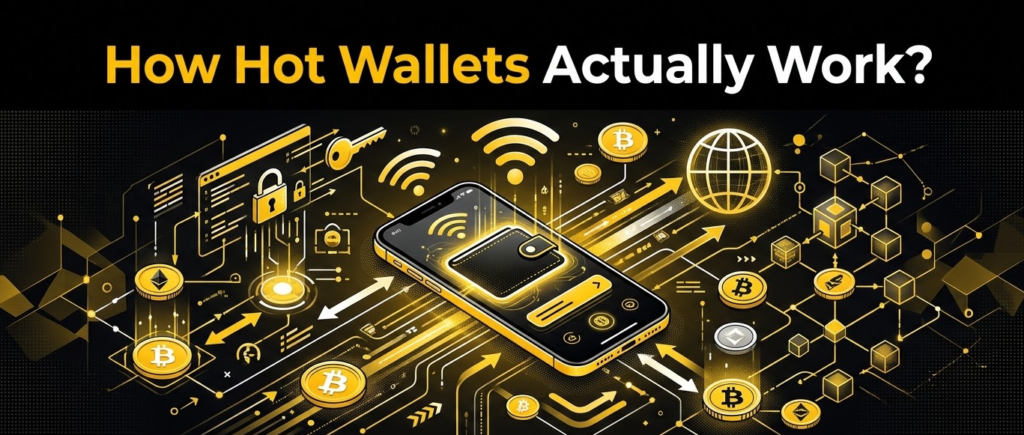
How Hot Wallets Actually Work?
Where Are Private Keys Stored?
The exact implementation varies between wallets, operating systems, and account models, but the general idea is straightforward.
Your wallet creates or imports cryptographic key material. The application then protects that material using mechanisms available on the device.
On desktop, browser-extension wallets typically encrypt wallet data locally and protect access with a wallet password or similar authentication mechanism. On mobile, wallets can make use of operating-system security facilities such as Apple’s Keychain or Android’s Keystore, alongside application-level encryption and device authentication.
But don’t make the mistake of interpreting “encrypted” as “impossible to steal.”
Encryption protects stored information. It doesn’t magically make a compromised device trustworthy.
If malware controls the environment in which you are using the wallet, the attacker may attempt to manipulate what you see, capture sensitive input, hijack browser sessions, or trick you into approving transactions. A wallet can protect the seed phrase extremely well and still be defeated by a user who signs the wrong transaction.
That’s why modern wallet security is moving toward transaction awareness, not merely key encryption.
Web3 Provider Injection
If you’ve used a browser wallet such as MetaMask, you’ve probably encountered the magic behind the scenes without realizing it.
A DApp needs a way to communicate with the wallet. In EVM environments, browser extensions can expose a Web3 provider to websites, historically through interfaces such as window.ethereum.
The DApp can then request things such as:
- Your wallet address
- The connected blockchain network
- A transaction
- A message signature
- Permission to interact with the wallet
The wallet, however, remains the gatekeeper.
A website can request a transaction. It cannot simply force your wallet to sign it.
That separation is critical. The browser is asking, and your wallet is supposed to be the decision point.
Of course, “supposed to be” is doing some heavy lifting here.
A malicious website can construct a request designed to confuse you. That’s why transaction previews, contract identification, phishing warnings, and simulation have become increasingly important.
WalletConnect and Mobile Web3
Mobile wallets solve the same problem differently.
Instead of relying entirely on browser-extension injection, many mobile applications use WalletConnect or other deep-linking mechanisms to establish communication between a DApp and the wallet.
The basic flow looks like this:
DApp → connection request → wallet → user approval → transaction/signature request → wallet confirmation → signed transaction → blockchain
The wallet never needs to hand the DApp your recovery phrase.
And that’s an important rule: a legitimate DApp connection should never require you to type your recovery phrase into the website.
Phantom’s current security documentation makes the same point clearly: connecting to an application should happen through the wallet interface, and users should never enter their Secret Recovery Phrase into a website. (Phantom)
If a DApp suddenly asks for your 12 words because “verification is required,” close the tab.
Seriously.
RPCs: The Infrastructure You Rarely See
There’s another part of hot-wallet architecture that most beginners don’t think about: the RPC endpoint.
Your wallet needs a way to communicate with blockchain nodes. Instead of maintaining a full node for every supported network on your laptop, the wallet or DApp commonly sends JSON-RPC requests to an RPC provider.
An RPC endpoint can answer questions such as:
- What is this address’s balance?
- What transactions involve this address?
- What is the current block?
- Can this transaction be submitted?
- What is the state of this smart contract?
As Alchemy explains, wallets and on-chain applications communicate with blockchains through RPC endpoints, and many wallets use shared default endpoints supplied by professional infrastructure providers. (Alchemy)
This introduces a privacy consideration.
Your wallet address is already public on-chain, but the infrastructure provider handling your requests may also receive network-level information associated with those requests. Depending on the provider and configuration, that can create a link between your network activity and your blockchain activity.
If privacy matters to you, advanced setups can use alternative RPC providers, self-hosted nodes, or privacy-oriented network configurations.
But don’t fall into the opposite trap and assume that changing RPC automatically makes you anonymous.
It doesn’t.
Blockchain addresses are public. Transaction histories are public. RPC privacy is one layer of a much larger privacy model.
The Main Types of Hot Wallets
Browser Extension Wallets
Browser extensions remain the workhorse of desktop Web3.
MetaMask is probably the most recognizable example, but it isn’t alone. Rabby, Phantom, Backpack, and several other wallets have built sophisticated browser experiences around decentralized applications.
These wallets are particularly useful when you’re interacting with complicated protocols where you need to review several transactions or signatures in a single session.
The biggest advantage is frictionless interaction.
Open a DApp, connect your wallet, and keep working.
The biggest disadvantage is equally obvious: the wallet lives on a machine that is constantly exposed to the internet, websites, browser extensions, operating-system vulnerabilities, phishing attempts, and potentially malicious software.
This is why I wouldn’t treat a browser wallet with $100,000 of assets the same way I’d treat a browser wallet holding $500 for experimentation.
The software may be identical.
The risk profile isn’t.
Mobile Software Wallets
Mobile wallets bring the same basic concept to smartphones.
Trust Wallet, Phantom, Rainbow, and Coinbase Wallet are examples of wallets designed around mobile-first experiences, although several now have browser or desktop counterparts as well.
The advantage is convenience. Your wallet is with you everywhere.
The disadvantage is that your smartphone becomes part of your security boundary.
A strong device passcode, biometric authentication, current operating system, application updates, and careful installation habits therefore matter much more than some users realize.
Trust Wallet, for example, highlights encrypted local wallet information, self-custody, security scanning, and hardware-wallet integration as parts of its security approach. (Trust Wallet)
Smart Contract Wallets
A newer category is the smart contract wallet, which changes the architecture rather than merely improving the user interface.
Traditional Ethereum wallets are commonly based on externally owned accounts, where control ultimately comes from a private key. Smart contract wallets can instead implement programmable rules around how transactions are authorized.
That opens the door to features such as:
- Social recovery
- Passkeys
- Spending limits
- Session keys
- Batch transactions
- Gas abstraction
- More flexible authentication
Coinbase’s current wallet infrastructure, for example, includes smart-wallet functionality using passkeys and supports authentication through device-level public-key cryptography. (Coinbase)
For beginners, this can make Web3 feel less like managing a cryptographic artifact and more like using a modern application.
That is a good thing-but it also means you need to understand what recovery and authorization model you’re actually using.
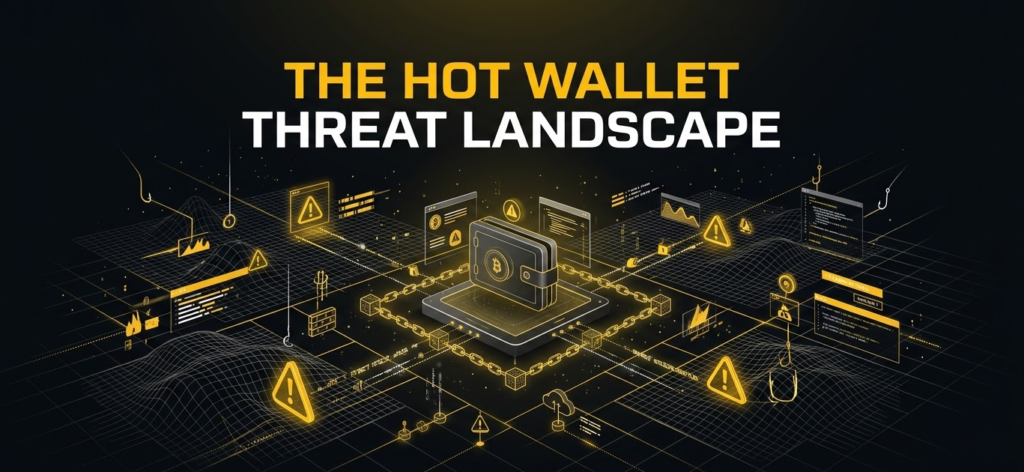
The Hot Wallet Threat Landscape
Seed Phrase Theft Is Still Catastrophic
Let’s get the obvious danger out of the way first.
If someone gets your Secret Recovery Phrase, assume the wallet is compromised.
The phrase is not a password you can reset through customer support. In a self-custodial model, possession of the recovery material is effectively possession of the authority to control the derived accounts.
MetaMask explicitly states that it cannot recover a wallet for you if you lose the recovery method. (MetaMask)
That’s why phishing remains so effective.
The attacker doesn’t need to defeat elliptic-curve cryptography.
They just need to convince you to type 12 words into the wrong box.
Common attack patterns include:
- Fake wallet-support pages
- Search-engine advertisements leading to clones
- Fake airdrops
- Discord or Telegram “support” messages
- Fake browser-extension downloads
- Impersonation accounts
- Fake wallet-verification screens
- Malicious “security update” prompts
Phantom also warns that scammers commonly impersonate support staff and use lookalike websites to trick users into exposing their recovery credentials. (Phantom)
Smart Contract Drainers Are a Different Problem
This is where hot-wallet security gets more interesting.
A hacker doesn’t necessarily need your seed phrase.
They may only need you to sign something that gives a malicious contract permission to move your assets.
Consider a normal ERC-20 approval.
You interact with a DApp and sign a transaction allowing a contract to spend your tokens. If you approve an unnecessarily large amount-or effectively unlimited allowance-the contract may later call transferFrom() according to the token’s rules.
That’s not necessarily a bug in the blockchain.
You authorized it.
The problem is that the user may not understand what they’re signing.
Ethereum’s ERC-2612 standard takes this concept further by allowing an EIP-712 signature to establish token allowances through a permit mechanism rather than requiring a conventional on-chain approval transaction first. (Ethereum Improvement Proposals)
This is convenient.
It can also be dangerous when a user blindly signs structured data.
Why “Disconnect Wallet” Isn’t Enough
Imagine this scenario.
You connect to a suspicious website.
You approve a malicious contract.
You close the website.
You disconnect your wallet.
You feel safe again.
Unfortunately, the approval may still exist on-chain.
The website connection and token allowance are separate things.
That’s why Revoke.cash recommends reviewing and revoking token approvals rather than relying only on disconnecting from a DApp. (Revoke.cash)
Phantom’s security documentation makes the same distinction, warning that malicious approvals can allow funds to be drained even after the wallet is disconnected from the application. (Phantom)
This is one of those crypto lessons that seems obvious after you’ve learned it.
Before that, it’s surprisingly easy to miss.
Transaction Simulation: One of the Best New Defenses
Transaction simulation is one of the most useful improvements in modern hot wallets.
Instead of showing you something vague like:
“Confirm transaction”
a security-focused wallet can attempt to simulate the transaction and estimate what will happen if you approve it.
For example, the wallet may warn you that:
- You’re transferring a valuable NFT
- A contract will receive token approval
- Your balance may decrease
- A suspicious contract is involved
- The website has been associated with malicious behavior
MetaMask’s current security system combines security alerts with transaction simulation to identify potentially harmful requests. It explicitly notes, however, that simulation does not guarantee detection of every threat. (MetaMask)
That last sentence is important.
Simulation is a warning system, not a magic shield.
Phantom similarly uses transaction previews and warns when it cannot accurately simulate certain transactions because of dynamic or unusual behavior. (Phantom)
Rabby has made transaction simulation one of its most visible selling points, positioning the wallet around showing users what is expected to happen before they sign. (Rabby Wallet)
I strongly prefer wallets that make transaction consequences visible.
But I still read the transaction.
You should too.
Scam Detection and Phishing Intelligence
Modern wallets are also becoming increasingly dependent on external threat intelligence.
Scam Sniffer, for example, maintains continuously updated lists of phishing domains, wallet drainers, and malicious addresses that can be consumed by wallets and security platforms. (Scam Sniffer)
Phantom similarly uses warnings, token-spam detection, transaction previews, and domain blocklists to reduce exposure to malicious activity. (Phantom)
These systems are valuable because the crypto threat landscape changes constantly.
A domain that was harmless yesterday may become malicious today.
A fake token can be distributed to thousands of wallets in minutes.
A phishing campaign can clone the branding of a popular protocol almost perfectly.
Automated security intelligence gives wallets a way to react faster than an individual user could.
But there is a catch.
No security database knows everything.
A brand-new scam may have no reputation history. A compromised legitimate website may not immediately appear on a blocklist. A malicious contract can behave differently depending on transaction parameters.
So I treat wallet warnings as another layer of verification, not permission to stop thinking.
MetaMask vs. Rabby vs. Phantom vs. Trust Wallet vs. Coinbase Wallet
There isn’t a single “best hot wallet” for everyone. Your preferred chain and style of Web3 activity matter enormously.
| Wallet | Strongest Fit | Standout Advantage | Best For |
|---|---|---|---|
| MetaMask | EVM / Ethereum | Broad ecosystem compatibility | General Web3 access |
| Rabby | EVM / Multi-chain | Transaction simulation and security visibility | DeFi power users |
| Phantom | Solana, Bitcoin, EVM | Strong consumer UX and scam protection | Solana and multi-chain users |
| Trust Wallet | Multi-chain | Mobile-first ecosystem and broad asset support | Mobile users |
| Coinbase Wallet | EVM, Base and broader assets | Passkeys and onboarding options | Beginners and Base users |
MetaMask
MetaMask remains the obvious starting point if your world revolves around Ethereum and EVM-based applications.
Its greatest advantage isn’t that it does one thing better than every competitor. It’s that an enormous number of Web3 applications understand how to work with it.
MetaMask also has mature hardware-wallet integration. Its documentation explicitly recommends hardware wallets for long-term storage and supports devices such as Ledger and Trezor, along with several air-gapped options. (MetaMask)
That makes MetaMask particularly interesting when you don’t want to abandon the familiar hot-wallet interface but want to move valuable assets behind hardware security.
Rabby
Rabby is particularly attractive if you live in DeFi.
Its focus is less “wallet as a universal brand” and more “wallet as a security-aware EVM transaction interface.”
The simulation-first philosophy is the big differentiator.
If you’re constantly interacting with unfamiliar contracts, bridges, lending markets, perpetual protocols, and token approvals, being able to preview transaction consequences before signing can make a meaningful difference.
Rabby also supports hardware-wallet workflows, allowing users to combine its interface with separate key-storage devices.
For an experienced EVM user, that’s a powerful combination.
Phantom
Phantom started with a strong Solana identity but has expanded considerably beyond its original ecosystem.
Its current security tooling includes transaction previews, malicious-site warnings, spam detection, and token/NFT protection mechanisms. (Phantom)
One feature I particularly like conceptually is the wallet’s encouragement to use separate wallets for higher-risk activities. Phantom explicitly recommends burner wallets for risky interactions such as experimental applications or NFT mints. (Phantom)
That’s a much better security mindset than assuming your one wallet should interact with everything.
Trust Wallet
Trust Wallet is built around accessibility and broad ecosystem coverage.
The company says its wallet supports more than 100 blockchains and emphasizes self-custody, security scanning, encrypted backups, and hardware-wallet integration. (Trust Wallet)
For someone who primarily uses a smartphone and doesn’t want to build a complicated desktop setup, this is a major advantage.
The trade-off is that broad support inevitably creates a broader security surface. The more networks, assets, DApps, and transaction types you interact with, the more carefully you need to review what you’re approving.
Coinbase Wallet
Coinbase’s wallet ecosystem has increasingly leaned toward easier onboarding through passkeys and account abstraction-style experiences.
Its current documentation distinguishes between smart wallets using passkeys, wallets using email/social authentication, and traditional mnemonic wallets based on a recovery phrase. (Coinbase)
That makes it interesting for people who find traditional seed phrases intimidating.
But remember: easier recovery does not mean “no security responsibility.”
You still need to understand exactly what protects the account and what happens if your passkey, authentication method, or recovery mechanism becomes unavailable.
Hot vs. Cold: Don’t Choose One-Use Both

The hot-versus-cold debate is often presented as if you must choose a winner.
I don’t think that’s the best way to approach it.
For many serious users, the best setup is a combination.
Think of a hot wallet as your checking account.
Think of a cold wallet as your savings account.
Your checking account needs to be accessible because you use it. Your savings account doesn’t need to be connected to every website you visit.
That distinction creates a simple operational model:
Cold wallet → long-term holdings
Hot wallet → active Web3 capital
Burner wallet → experimental/high-risk interactions
This structure can dramatically reduce the blast radius of a mistake.
If a new DApp turns out to be malicious, the attacker should not find your entire portfolio sitting in the wallet you connected to it.
The 80/20 Rule Is Not a Law
You may see people recommend keeping 80–90% of assets in cold storage and 10–20% in hot wallets.
That’s a useful conceptual starting point, but it isn’t a universal security rule.
Someone with $1,000 and someone with $1 million shouldn’t necessarily use the same percentages.
Your hot-wallet balance should be based on your realistic transaction needs and the amount you can afford to expose to an online signing environment.
If you rarely trade, you might need very little in your hot wallet.
If you’re a full-time DeFi user, you may need more.
The important principle is segmentation, not an arbitrary percentage.
Using a Hardware Wallet Through a Hot Interface
Here’s where things get really interesting.
You don’t necessarily have to choose between the convenience of MetaMask and the security of a hardware wallet.
You can use both.
In this configuration, MetaMask or Rabby becomes your Web3 interface, while Ledger, Trezor, or another hardware device controls the private keys.
The workflow looks like this:
DApp → MetaMask/Rabby → unsigned transaction → hardware wallet → physical confirmation → digital signature → broadcast
The browser wallet can construct the transaction.
The hardware wallet signs it.
The private key stays inside the hardware device.
MetaMask itself describes hardware wallets as an additional security layer and explains that transactions secured by hardware require physical interaction with the device for approval. (MetaMask)
This is one of my favorite setups because it gives you the usability of a hot interface without forcing your long-term private keys into the browser.
There is still a major caveat, though.
Hardware security doesn’t automatically make a transaction safe.
If you physically confirm a malicious contract approval on your Ledger, the hardware wallet has done exactly what you asked it to do.
The device protects the key.
It doesn’t replace your judgment.
Watch-Only and Hardware-Paired Wallets
A related concept is the watch-only wallet.
Here, the software interface knows your public address and can display balances and transactions, but doesn’t possess the private key required to authorize spending.
Hardware-wallet pairing takes this idea a step further. The interface constructs the transaction while the external device performs the actual signing.
This separation is extremely useful for large portfolios.
You can monitor your assets from a normal computer, interact with sophisticated Web3 applications, and still require a physical device before funds can leave the secure account.
That physical confirmation is the key.
An attacker might compromise your browser, but they still have another obstacle: your hardware device.
How to Use a Hot Wallet Safely
Create Separate Wallets for Different Risk Levels
You don’t need one wallet for everything.
A simple structure could look like this:
| Wallet | Purpose | Typical Exposure |
|---|---|---|
| Cold wallet | Long-term holdings | Minimal |
| Main hot wallet | Trusted DeFi and everyday Web3 | Moderate |
| Burner wallet | New DApps, NFT mints, experimental protocols | High |
| Trading wallet | Active trading | Moderate to high |
This isn’t about creating dozens of wallets and turning your life into an accounting nightmare.
It’s about making sure a single mistake doesn’t compromise everything.
Never Type Your Recovery Phrase Into a Website
This rule is so important that it deserves to be boring.
A website does not need your recovery phrase to connect to your wallet.
A DApp does not need your recovery phrase to request a transaction.
A wallet-support representative does not need your recovery phrase.
A hardware-wallet manufacturer does not need your recovery phrase.
If someone asks for it, assume you’re dealing with a scam.
Treat Unexpected Tokens and NFTs as Suspicious
Random tokens appearing in your wallet don’t automatically mean you’ve been hacked.
Because blockchain addresses are public, anyone can send assets to them.
Scammers sometimes use this behavior to lure users into interacting with malicious contracts or fake claim websites. Phantom specifically warns users not to interact with unexpected tokens and describes common fake-airdrop and scam-token patterns. (Phantom)
The safest reaction is usually simple:
Don’t touch it.
Don’t click its embedded URL.
Don’t attempt to sell it.
Don’t connect to a website advertised inside its metadata.
Don’t become curious at exactly the moment the attacker wants you to become curious.
Review What You Are Signing
Don’t blindly approve wallet pop-ups.
Before signing, ask:
- What contract am I interacting with?
- What asset am I giving permission to move?
- How much?
- Is this a transaction or a message signature?
- Does the recipient address make sense?
- Is the website domain correct?
- Does the wallet simulation show an unexpected outcome?
- Is this approval unlimited?
- Have I used this protocol before?
If you cannot answer those questions, stop.
You can always investigate first.
Revoke Token Allowances Regularly
If you use EVM DeFi heavily, periodically reviewing token approvals is good wallet hygiene.
Revoke.cash provides an interface for identifying approvals and revoking permissions, while wallets such as Phantom also provide guidance for handling suspicious approvals and connections. (Revoke.cash)
Remember, though, that revoking an approval is itself an on-chain transaction.
You may need to pay network fees.
And revoking an approval doesn’t undo transactions that already happened.
If a malicious contract already transferred your tokens, the goal isn’t simply to “disconnect” it. You need to assess the remaining wallet exposure and, if the private key or wallet itself is compromised, move legitimate assets to a new secure wallet.
Configure RPCs With Privacy in Mind
Most casual users can stick with their wallet’s default RPC configuration.
Advanced users may want more control.
A custom RPC endpoint can provide different performance, reliability, rate limits, geographic routing, or privacy characteristics. Alchemy’s documentation explains the distinction between shared public endpoints and dedicated/private RPC infrastructure. (Alchemy)
But remember what an RPC does-and doesn’t do.
It can change how your wallet communicates with blockchain infrastructure.
It does not make your blockchain address private.
If privacy is a serious concern, you need to think about the entire chain of information: wallet addresses, RPC requests, IP metadata, browser fingerprinting, exchange accounts, transaction patterns, and the links between identities.
That’s a much bigger subject than simply switching an RPC URL.
A Practical Hot Wallet Security Checklist
If you want a simple operating routine rather than a theoretical security framework, I would start here.
Before installing
- Download the wallet from its official website or verified app-store listing.
- Verify the developer identity.
- Avoid random browser-extension links posted in social media.
- Use a dedicated browser profile for crypto if practical.
- Update your operating system and browser.
During wallet creation
- Generate the recovery phrase yourself.
- Write it down offline.
- Never screenshot it.
- Never send it through email or messaging apps.
- Never store it in ordinary cloud notes.
- Consider a durable physical backup for significant holdings.
- Enable strong device authentication.
Before connecting to a DApp
- Check the domain character by character.
- Prefer official project links.
- Avoid links from unsolicited DMs.
- Check the contract address.
- Review wallet security warnings.
- Use a separate wallet for experimental protocols.
Phantom’s security guidance similarly recommends verifying project URLs through official channels and avoiding suspicious links from advertisements, comments, or direct messages. (Phantom)
Before signing
- Read the transaction preview.
- Check the recipient.
- Check the asset.
- Check the amount.
- Check token approvals.
- Be suspicious of unexplained signature requests.
- Stop if simulation fails or produces an unexpected result.
After using a risky DApp
- Disconnect the application.
- Review token allowances.
- Revoke unnecessary approvals.
- Move remaining funds from a burner wallet if appropriate.
- Don’t reuse a compromised wallet simply because the balance currently looks fine.
What Happens If You Lose Your Phone?
Losing the device is annoying.
It doesn’t necessarily mean losing your crypto.
The important question is whether you still control your recovery mechanism.
With a traditional mnemonic-based self-custodial wallet, the recovery phrase can allow you to restore the wallet on another compatible device or application. MetaMask explicitly describes the recovery phrase as the foundation of the wallet and warns that losing the recovery method can result in permanent loss of access. (MetaMask)
This is why the phrase deserves more protection than the phone itself.
Your phone can be replaced.
Your seed phrase is the thing you cannot casually replace.
The exact recovery model becomes different with smart wallets, passkeys, or social-recovery systems, so don’t blindly assume every modern wallet behaves like a traditional 12-word wallet. Coinbase’s current documentation, for example, distinguishes smart wallets created with passkeys from traditional mnemonic wallets. (Coinbase)
Know your wallet’s recovery architecture before you put serious money into it.
The Best Hot Wallet Depends on How You Use Crypto
If you want the shortest practical recommendation, I’d frame the choices this way:
Choose MetaMask if you want broad EVM compatibility and maximum ecosystem familiarity.
Choose Rabby if you are a serious EVM/DeFi user who values transaction simulation and detailed signing visibility.
Choose Phantom if Solana is central to your activity and you want strong consumer-facing scam and transaction protections.
Choose Trust Wallet if you want a mobile-first, broad multi-chain experience.
Choose Coinbase Wallet’s newer smart-wallet options if easier onboarding, passkeys, and the Base ecosystem are important to you.
And if you’re holding substantial long-term wealth, don’t stop there.
Pair your preferred Web3 interface with a hardware wallet.
That gives you a much more sensible separation between interaction and custody.
Final Thoughts: Your Wallet Is Only One Part of Your Security
The phrase “hot wallet” can make the technology sound simpler than it really is.
It’s not merely an app installed on your phone or an extension sitting in Chrome. It’s a complete security environment involving key generation, encrypted local storage, browser permissions, DApp connections, RPC infrastructure, smart-contract authorization, signing interfaces, phishing defenses, and human decision-making.
That’s why I wouldn’t judge a wallet purely by its brand.
I’d judge it by the questions that matter when money is on the line.
Can you understand what you’re signing?
Can the wallet simulate the transaction?
Does it warn you about suspicious domains and contracts?
Can it work with a hardware wallet?
Does it make approvals visible?
Can you separate high-risk activity from your main holdings?
Do you understand how your recovery method works?
Those questions matter more than whether a wallet has the prettiest interface.
And perhaps the most important mindset shift is this: a hot wallet isn’t inherently “bad” storage. It’s a tool designed for connectivity.
If you treat it like a checking account, keep its balance appropriate for your activity, isolate experimental interactions, review approvals, use transaction simulations, and protect your recovery credentials, it can be an extremely useful part of a modern crypto setup.
The trouble starts when you ask the checking account to become the vault.
For serious long-term holdings, I’d rather keep the private keys behind a hardware wallet and let a hot wallet such as MetaMask or Rabby act as the interface. MetaMask itself recommends hardware wallets for long-term storage and supports multiple hardware-wallet connection models. (MetaMask)
That’s the setup that makes the most sense to me: hot where you need speed, cold where you need isolation, and a separate layer of caution whenever a smart contract asks you to sign something.
Frequently Asked Questions
What is a hot crypto wallet and how does it differ from a cold storage hardware wallet?
A hot crypto wallet is software running on an internet-connected device, such as a browser extension, smartphone, or desktop application. It provides convenient access to Web3 applications and blockchain networks but exposes the wallet to a broader online attack surface.
A cold wallet, by contrast, is designed to keep private keys isolated from ordinary internet-connected environments. Hardware wallets add a physical signing boundary, while air-gapped devices can go even further by avoiding conventional network connections.
The important distinction is therefore connectivity and key exposure, not where the cryptocurrency itself is stored. Both wallet types control assets recorded on a blockchain.
Is a hot crypto wallet safe for storing large amounts of cryptocurrency?
It can be technically secure, but I generally wouldn’t use a standalone hot wallet as the primary vault for substantial long-term wealth.
The more value you keep in an internet-connected wallet, the more attractive that wallet becomes as a target and the more damage a single signing mistake can cause.
A better structure is usually to keep long-term holdings behind a hardware wallet while maintaining a smaller hot-wallet balance for normal Web3 activity. MetaMask itself recommends hardware wallets for long-term storage. (Trung Tâm Trợ Giúp MetaMask)
Can a hot wallet be drained without the hacker getting my 12-word seed phrase?
Yes.
This is one of the most important concepts for understanding Web3 security.
A malicious DApp can trick you into approving a token allowance or signing a malicious message. In those cases, the attacker may use the authorization you’ve already granted rather than stealing your recovery phrase.
ERC-2612’s permit mechanism is one example of how token allowances can be established through signed messages rather than a traditional approval transaction. (Ethereum Improvement Proposals)
That’s why protecting your seed phrase is necessary but not sufficient.
You also need to understand what you’re signing.
How do you safely disconnect DApps and revoke token allowance permissions?
Disconnect the DApp from your wallet, but don’t assume that disconnection automatically removes on-chain permissions.
Review token approvals separately and revoke suspicious or unnecessary allowances using a trusted tool such as Revoke.cash. Its documentation explains that token approvals give smart contracts permission to spend tokens on your behalf and that revocation is an important part of wallet hygiene. (Revoke.cash)
If you believe the entire wallet has been compromised, however, don’t rely on revoking individual permissions alone. Move legitimate assets to a fresh secure wallet and investigate the root cause.
Can you pair a cold hardware wallet with a hot wallet extension?
Yes, and for many users this is one of the best security configurations available.
The hot wallet handles the interface and DApp connectivity. The hardware device retains the private keys and performs the actual signature after you physically approve the transaction.
MetaMask supports several hardware-wallet integrations and explains that a hardware wallet creates an additional physical security boundary around transactions. (MetaMask)
This lets you retain much of the convenience of Web3 without placing your most valuable private keys directly inside the browser.
What happens if I uninstall a hot wallet extension or lose my phone?
Your blockchain assets don’t disappear.
If you’re using a traditional self-custodial wallet and still have the correct recovery phrase, you can generally restore access using compatible wallet software.
However, recovery depends on the wallet architecture. Traditional mnemonic wallets rely on recovery phrases, while newer smart-wallet systems may use passkeys, social recovery, or other mechanisms.
Before putting serious funds into any wallet, understand exactly how that wallet recovers access. MetaMask and Coinbase both document different recovery models for their wallet products. (MetaMask)
Do hot wallets hide my IP address from blockchain networks?
Not automatically.
Your wallet communicates with blockchain infrastructure through RPC endpoints, and the provider handling those requests may have access to network-level metadata depending on its architecture and privacy policies.
Alchemy notes that wallets commonly use shared RPC infrastructure and explains how private or dedicated endpoints differ from shared public endpoints. (Alchemy)
If privacy is important, consider your RPC provider, network setup, browser environment, VPN usage, and on-chain identity separately. Changing the RPC endpoint alone does not make your blockchain activity anonymous.
Is transaction simulation enough to protect a hot wallet?
No.
It’s a valuable defensive layer, but it is not a guarantee.
MetaMask states that transaction simulation can help identify transactions that may result in fund loss but does not guarantee that every threat will be detected. (MetaMask) Phantom similarly warns when it cannot accurately simulate certain transactions. (Phantom)
You should therefore treat simulation as a security assistant, not a replacement for reading the transaction.
Should I use one hot wallet for every DApp?
I wouldn’t.
For everyday trusted applications, a primary hot wallet may be fine. For experimental protocols, unfamiliar NFT mints, new token launches, or questionable ecosystems, a separate burner wallet with limited funds provides a much smaller blast radius.
Phantom explicitly recommends using separate wallets for higher-risk activity, particularly when interacting with new or unverified projects. (Phantom)
That small operational habit can make a huge difference.
What is the safest overall setup for an active Web3 user?
For most active users, I would use a layered setup:
- Hardware wallet: long-term holdings and high-value assets.
- Primary hot wallet: established DeFi applications and normal Web3 activity.
- Burner wallet: experimental or high-risk DApps.
- Approval-management tool: periodic allowance reviews.
- Transaction simulation/security alerts: enabled whenever available.
- Offline recovery backup: protected separately from the devices you use every day.
You don’t need an unnecessarily complicated setup.
You need a setup where one bad click doesn’t become a catastrophic event.
And that’s ultimately the real purpose of good hot-wallet security: not eliminating every risk, but making sure a single mistake has a limited blast radius.