Executive summary
Robinhood Crypto Wallet, commonly called Robinhood Wallet, is a standalone mobile application for managing cryptocurrency through a self-custody wallet. It is separate from the main Robinhood app, where customers can buy and sell crypto through Robinhood’s custodial service.
The difference is fundamental. When you hold crypto in a custodial exchange account, the platform manages the private keys associated with the assets. When you use a self-custody wallet, you control the wallet credentials that authorize transactions. Robinhood’s own documentation describes Wallet as a self-custody product in which users hold the private keys to their assets.
That makes Robinhood Wallet more than a place to check token prices. You can use it to receive and send crypto, swap supported tokens, connect to decentralized applications, and interact with assets across several blockchain networks. It is aimed at people who want to move beyond buying crypto through a brokerage interface and start using the onchain ecosystem directly.
The app is available for iOS and Android. Robinhood lists support for Ethereum, Bitcoin, Dogecoin, Solana, Arbitrum, Polygon, Optimism, BNB Smart Chain, Base and Robinhood Chain for sending and receiving assets. Its swap and decentralized-app features have their own network limitations, so the supported list depends on what you want to do.
Robinhood Wallet also connects to Robinhood Connect, a service that lets users buy or transfer crypto from supported payment methods and Robinhood accounts into participating wallets and decentralized apps. That can make funding a self-custody wallet easier, although availability and payment options depend on location and eligibility.
You can check Robinhood’s current feature and network documentation in its official Robinhood Wallet guide.
At a glance: Core features of Robinhood Wallet
| Feature | Robinhood Wallet | Typical custodial exchange account |
|---|---|---|
| Custody | Self-custody; you control the wallet keys | The exchange controls the private keys |
| Recovery | You manage the recovery method and must protect it | Account recovery may be available through customer support |
| Supported networks | Bitcoin, Ethereum, Solana and several EVM networks, including Robinhood Chain | Depends on the exchange and its listed assets |
| Sending and receiving | Direct onchain transfers on supported networks | Withdrawals and deposits depend on exchange support and account restrictions |
| Token swaps | In-app swaps through supported routing providers and networks | Usually exchange order-book or conversion functionality |
| Cross-chain swaps | Available for supported assets and network combinations | Usually requires a separate withdrawal, bridge or external service |
| Web3 access | Can connect to supported decentralized applications | Often more limited or unavailable |
| NFTs | Can receive and store supported NFTs; current sending support is limited | Depends on the exchange |
| Fiat on-ramp | Robinhood Connect and other providers where available | The exchange’s own deposit and purchase methods |
| Responsibility | You are responsible for wallet access, recovery and transaction approvals | The exchange handles key custody and account-level security |
A self-custody wallet gives you more direct control, but it also transfers more responsibility to you. If you send assets to the wrong network or approve a malicious contract, there may be no customer support team capable of reversing the transaction.
Self-custody architecture: Why keys, privacy and control matter
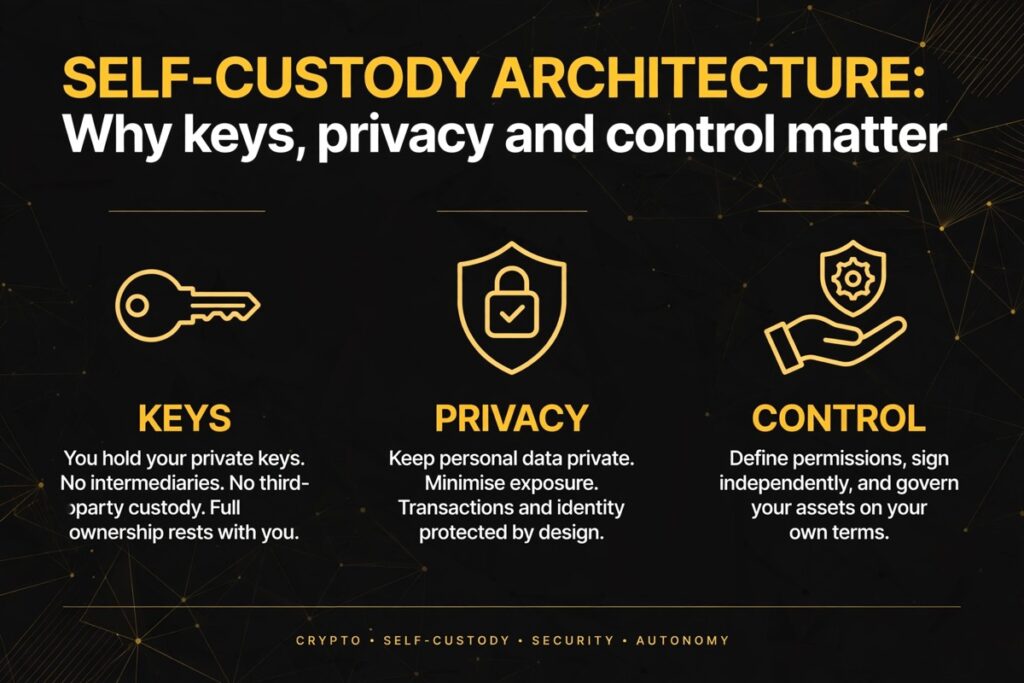
The biggest reason to use Robinhood Wallet instead of leaving all your crypto on an exchange is control. That sounds simple, but it changes how you manage your assets, recover your account and deal with mistakes.
A self-custody wallet gives you control over the keys used to authorize blockchain transactions. The wallet app provides an interface for viewing balances, preparing transactions and signing them. The blockchain records the resulting activity. Robinhood supplies the software and related services, but it does not hold the private keys for your self-custody wallet in the same way it holds keys for customers’ custodial exchange balances.
This does not mean Robinhood Wallet is completely independent of Robinhood’s infrastructure. You still rely on its app, software updates and any third-party services involved in features such as swaps or fiat purchases. But the ownership model is different from keeping crypto in an exchange account.
Custodial vs. self-custody wallets
Consider what happens when you buy Bitcoin through a centralized exchange. Your account may show a BTC balance, but the exchange generally controls the private keys associated with the pooled wallets holding customer assets. You have a contractual claim to the balance shown in your account, rather than direct control of the keys for an individual blockchain address.
With a self-custody wallet, you control the credentials that authorize transactions from your address. You can sign a transaction and broadcast it to the network without asking an exchange to approve a withdrawal.
| Feature | Robinhood Wallet (self-custody) | Robinhood Crypto account (custodial) |
|---|---|---|
| Private keys | You control the wallet keys | Robinhood manages custody keys |
| Transaction authorization | You sign transactions from your wallet | Robinhood processes account transactions and withdrawals |
| Account restrictions | Robinhood cannot simply freeze the private keys it does not hold, but app and service access may still be affected by restrictions | Account access and withdrawals may be restricted for compliance, security or legal reasons |
| Recovery | You must use your recovery phrase or supported backup method | Account recovery may be available through Robinhood’s support process |
| Responsibility | You are responsible for securing your wallet and checking transactions | Robinhood handles custody infrastructure and account-level security |
| Web3 access | Can connect to supported decentralized applications | Not the same direct self-custody access |
| Reversing a transfer | Generally impossible once confirmed onchain | Some account-level support may be available, depending on the situation |
One point deserves extra attention: self-custody does not mean Robinhood can never restrict your access to its services. Your private keys give you control over the assets onchain, but the app, fiat on-ramps, swap providers and other services can have their own eligibility rules. If a feature becomes unavailable, you may still be able to use your recovery phrase with another compatible wallet, depending on
Robinhood explains the distinction in its guide to crypto transfers and private-key custody.
How Robinhood Wallet handles security
Robinhood Wallet offers several ways to protect access to the app and recover a wallet. These are useful safeguards, but they do not remove the risks that come with self-custody.
Biometrics and PIN protection
During setup, you can choose biometric authentication, such as Face ID, or create a custom PIN. Robinhood says users must set up one of these options to authenticate when opening the app. This helps prevent someone who casually gets hold of your unlocked phone from immediately accessing the wallet.
It is important to understand what this protection does and does not cover. A PIN or fingerprint protects access to the app on your device. It is not a substitute for protecting your recovery phrase, and it does not prevent someone from stealing your assets if they obtain your recovery credentials.
Secret recovery phrase
Your secret recovery phrase is the most important piece of information associated with a traditional self-custody wallet. It allows you to restore access if you lose your phone, reinstall the app or move to another compatible wallet.
Robin’s support documentation explains that the recovery phrase is generated for the wallet and that Robinhood cannot retrieve it for you if you lose it. The app provides backup options that include iCloud, Google Drive or manual backup, depending on your setup.
I would treat the phrase as the master key to your wallet. Do not put it in a public cloud document, send it through a messaging app, take an unprotected screenshot or store it in an email account. If you choose a cloud backup, understand the security of the account protecting that backup as well.
See Robinhood’s official instructions for protecting your wallet and understanding your secret recovery phrase.
Independent audits and phishing detection: What can you verify?
Security claims should be specific. Robinhood publishes product security guidance and provides information about how to protect a wallet, but the public support material cited here does not establish every claim sometimes repeated in third-party articles, such as a particular audit schedule, a named independent penetration-testing program for the wallet, or universal built-in malicious-dApp detection.
I would not treat those features as confirmed unless Robinhood publishes the relevant audit report or product documentation. The absence of a public report does not prove that no security work takes place; it simply means you should not rely on an unverified claim when deciding where to keep your money.
The risks of self-custody: What you must know
Self-custody gives you control, but it also removes some of the safety net people expect from traditional financial accounts. Before moving a large balance into Robinhood Wallet, make sure you understand these risks.
Lost recovery phrase: If you lose access to your device and cannot recover the wallet through an available backup, you may permanently lose access to the assets.
Stolen recovery phrase: Anyone who obtains the phrase can potentially restore the wallet and move the funds. A wallet PIN will not protect you from someone who has the phrase.
Wrong address or network: Sending an asset to an incompatible address or using the wrong blockchain network can result in an irreversible loss.
Phishing: Fake support agents, malicious websites, counterfeit apps and fraudulent airdrop campaigns often try to trick users into revealing recovery phrases or signing harmful transactions.
Malicious approvals: A token approval can give a smart contract permission to move tokens from your wallet. An approval that looks routine may create exposure if the contract is malicious or compromised.
Smart contract exploits: DeFi protocols can contain bugs or vulnerabilities. Even if your wallet works correctly, an application you interact with may not be safe.
Market and liquidity risk: A token appearing in your wallet does not mean it is liquid, legitimate or easy to sell.
A useful habit is to keep only the funds you need for active onchain use in a hot wallet. If you hold a substantial amount of crypto for the long term, compare the convenience of a mobile wallet with the protection offered by a dedicated hardware wallet.
Multi-chain ecosystem: Robinhood Chain, supported networks and tokenized assets
Robinhood Wallet is no longer limited to the Ethereum and Polygon support it had at launch. Its current documentation lists several networks for sending and receiving crypto, while swaps and dApp connections have their own supported-network lists.
That distinction matters. A wallet may display an asset on a network without supporting every action for that asset. You should check the network and token combination before sending, swapping or connecting to an application.
Robinhood Chain: A Layer 2 built on Arbitrum
Robinhood Chain is a separate blockchain project within the wider Robinhood ecosystem. It is an Ethereum-compatible Layer 2 built using Arbitrum technology and intended to support onchain financial services, particularly tokenized real-world assets.
The project was announced in June 2025 alongside Robinhood’s plans for tokenized stocks and ETFs. At that point, the chain was a future product rather than a live public network. That has since changed: Robinhood announced the public mainnet launch on July 1, 2026, describing it as a permissionless Layer 2 built on the Arbitrum platform.
The chain is intended to give developers an environment for building applications around tokenized assets, trading, lending and other financial services. Robinhood has also described integrations with infrastructure providers and DeFi projects, including Uniswap.
You can read the company’s Robinhood Chain mainnet announcement and its official technical overview.
What does this mean for Robinhood Wallet users?
Robinhood Wallet supports Robinhood Chain, allowing users to send and receive supported assets, swap crypto and connect to compatible decentralized applications. Because the network is EVM-compatible, developers can use familiar Ethereum tooling to build smart contracts and applications for it.
Robinhood Chain is not simply another name for the Robinhood exchange. It is a blockchain network, and its transactions take place onchain. Robinhood’s support documentation also makes clear that Robinhood Chain is not connected to your brokerage or custodial crypto account in the sense that activity on the chain does not automatically change the balances in those accounts.
What are the gas fees on Robinhood Chain?
Robin’s documentation states that transaction fees on Robinhood Chain are paid in ETH. That means you should not assume that transactions are free or that a separate Robinhood token is required to pay gas.
This is an important detail if you are moving assets onto the network. Keep enough ETH available for transaction fees, and check the fee estimate shown before confirming an action.
Supported blockchains and networks
Robin’s current support pages list the following networks for sending and receiving crypto:
| Network | Main use | What to keep in mind |
|---|---|---|
| Ethereum | ERC-20 tokens, DeFi and NFTs | Network fees are paid in ETH and vary with network activity |
| Bitcoin | Native BTC transfers and storage | Bitcoin uses its own address and transaction format |
| Solana | SOL and supported Solana tokens | Solana assets and addresses are not interchangeable with EVM assets |
| Dogecoin | Native DOGE transfers | Confirm that the receiving platform supports Dogecoin deposits |
| Arbitrum | Ethereum Layer 2 DeFi and token transfers | Check the exact token and network before sending |
| Polygon | EVM-compatible applications, tokens and NFTs | Polygon’s native token naming has changed over time; check the asset ticker displayed in the app |
| Optimism | Ethereum Layer 2 applications and transfers | Make sure the destination supports Optimism |
| BNB Smart Chain | BNB Chain tokens and applications | Do not confuse BNB Smart Chain with the Ethereum network |
| Base | Ethereum Layer 2 applications and tokens | Confirm that the destination accepts Base deposits |
| Robinhood Chain | Tokenized assets and onchain financial applications | ETH is used for gas |
The list above describes network support for sending and receiving. It does not mean that every listed network supports every Robinhood Wallet feature.
For example, Robinhood’s support documentation currently lists swaps on Ethereum, Solana, Arbitrum, Polygon, Optimism, BNB Smart Chain, Base and Robinhood Chain. Its dApp browser has a separate list of supported networks. Bitcoin and Dogecoin support for transfers does not automatically mean that those networks have the same swap or dApp functionality as Ethereum.
The Robinhood Wallet FAQ is the best place to check the latest network-by-network feature availability.
Tokenized assets: US stocks and ETFs on Robinhood Chain
One of Robinhood’s most interesting moves is its effort to bring tokenized financial assets onto a blockchain. Instead of limiting a wallet to cryptocurrencies such as BTC and ETH, the company is building infrastructure for tokenized exposure to traditional financial assets.
Robinhood announced its first generation of stock tokens in June 2025 for eligible European customers. In July 2026, it announced the public mainnet launch of Robinhood Chain and a new generation of Stock Tokens available through Robinhood Wallet in more than 120 countries, subject to jurisdictional restrictions.
These tokens are not ordinary shares transferred to a blockchain address. Robinhood’s documentation describes the new Stock Tokens as tokenized debt securities issued by Robinhood Assets (Jersey) Limited. They provide economic exposure to underlying securities, but they do not give holders legal or beneficial ownership rights in the underlying companies.
That distinction is especially important if you are considering tokens linked to well-known private companies such as OpenAI or SpaceX. Holding a token that tracks or references a company’s economic value does not make you a shareholder in that company.
| Asset type | Examples or description | Important detail |
|---|---|---|
| Tokenized US stocks | Tokens linked to selected US-listed companies | They provide economic exposure, not direct shareholder rights |
| Tokenized ETFs | Tokens linked to selected exchange-traded funds | Availability and terms depend on the specific token |
| Tokenized private-company exposure | Robinhood has highlighted names such as OpenAI and SpaceX in its tokenization announcements | Do not interpret a token as direct equity ownership |
| Other real-world assets | Potential future tokenized financial products | Do not assume that every proposed asset type is already available |
Robin’s official Stock Tokens documentation explains the token structure, ERC-20 compatibility, onchain price feeds and risks. It also states that Stock Tokens do not grant legal or beneficial rights in the underlying securities.
Are Robinhood Stock Tokens available to US residents?
This is where readers need to be careful. Robinhood’s disclosures state that the new Stock Tokens are not available in the United States or to US persons. The fact that Robinhood is a US company, and that Robinhood Wallet is available in the US, does not mean every tokenized product is available to US customers.
The company also lists restrictions for other jurisdictions. Before trying to acquire a Stock Token, read the applicable prospectus, final terms and regional eligibility rules. Robinhood’s official Chain page includes important disclosures about the securities and their geographic restrictions.
Trading, swaps and DeFi: How to use Robinhood Wallet
Robinhood Wallet is designed to let you interact with crypto beyond simply holding it. You can send and receive assets, swap supported tokens and connect to decentralized applications. These features make it more useful for DeFi users than a basic custodial exchange balance.
However, the details matter. A swap is not necessarily free, a cross-chain transaction is not necessarily instant, and a wallet’s ability to connect to a dApp does not mean that Robinhood has audited or guaranteed that application.
Gasless swaps: Do you really trade without paying gas?
A gasless swap is a transaction in which the user does not have to pay the blockchain’s gas fee directly in the usual way. The fee may instead be sponsored by a service provider, paid through a relayer or handled through another transaction mechanism.
Robinhood has promoted low-friction swaps since the early development of its wallet. Its 2022 wallet announcement described a product vision that included swapping without network fees, and its 2023 rollout highlighted swaps on Polygon without network fees. That history should not be confused with a blanket promise that all swaps on all networks are gas-free in 2026.
Robin’s current support documentation explains that swap network fees can apply. It also describes fees included in swap rates and estimated fees that may be deducted from the native token balance. The exact cost depends on the network, transaction and swap route.
For that reason, I would avoid describing Robinhood Wallet as a universally gasless trading wallet. A more accurate description is that it offers a simplified swap experience, and certain features or routes may reduce the need to hold a separate gas token or may have had promotional or network-specific fee arrangements.
Does Robinhood Wallet use ERC-4337 for gasless swaps?
ERC-4337 is an Ethereum account-abstraction standard that enables smart-account functionality without requiring a change to Ethereum’s consensus protocol. It can support features such as sponsored transactions and alternative payment arrangements.
But the existence of ERC-4337 does not prove that a particular wallet uses it. Robinhood’s public support pages cited here describe swap routing and fees but do not establish that every Robinhood Wallet swap is implemented through ERC-4337. Unless Robinhood publishes technical documentation confirming that architecture for the relevant feature, it is better not to state it as fact.
Before confirming a swap, check:
- Network fee: Is a blockchain gas fee included or charged separately?
- Swap fee: Does Robinhood Wallet or the routing provider charge an additional fee?
- Exchange rate: Is the quote guaranteed for a short period or only estimated?
- Slippage: Could the amount you receive change before execution?
- Token approval: Does the transaction require permission for a smart contract to spend your tokens?
Robinhood provides a breakdown of swap fees and estimated costs in its official send, receive and swap guide.
Cross-chain swaps: Move assets between blockchains
A cross-chain swap lets you exchange an asset on one network for an asset on another. For example, you might want to move from USDC on Arbitrum to SOL on Solana without manually withdrawing to an exchange, selling one asset and buying another.
That sounds like a simple exchange, but it involves multiple systems. The source and destination blockchains have separate transaction environments, and a routing provider must coordinate the steps needed to complete the swap.
Robinhood Wallet’s documentation identifies 0x API and LI.FI as decentralized exchange aggregators used to route swaps. The app lets you choose the source token and network, select the destination token and network, enter an amount and review the proposed transaction.
How does a cross-chain swap work?
A simplified process looks like this:
- Choose the source asset: Select the token and network you currently hold.
- Choose the destination asset: Select the token and network you want to receive.
- Get a quote: The wallet obtains a route through its supported swap providers.
- Review the transaction: Check the estimated output, fees, slippage and expected completion time.
- Approve and confirm: If the route requires token approval, you may need to authorize it before the swap can proceed.
- Wait for completion: The transaction may take longer than a normal swap on one network because multiple blockchain operations can be involved.
A cross-chain swap is not necessarily the same thing as a bridge-free transfer. The underlying route may rely on bridging or other cross-chain infrastructure. You should judge the transaction by the route and risk disclosures shown in the app, rather than assuming that no bridge or third party is involved.
Robinhood lists cross-chain swaps across supported combinations involving Ethereum, Solana, Arbitrum, Polygon, Optimism, BNB Smart Chain, Base and Robinhood Chain. Not every token can be swapped across every pair. The company publishes specific limitations, including restrictions on which Ethereum-network tokens can be routed to Solana.
Robinhood Wallet vs. MetaMask: Which one should you choose?
Robinhood Wallet and MetaMask are both self-custody wallets, but they serve somewhat different audiences. Robinhood Wallet is a mobile-first product connected to Robinhood’s broader crypto and financial ecosystem. MetaMask has a longer history as a Web3 wallet and is widely used across browser-based Ethereum and EVM applications.
Neither is automatically the better choice. It depends on how you use crypto.
| Feature | Robinhood Wallet | MetaMask |
|---|---|---|
| Self-custody | Yes | Yes |
| Mobile app | Yes | Yes |
| Browser extension | Robinhood Wallet is primarily positioned as a mobile app | Yes |
| Bitcoin support | Yes, for supported Bitcoin transfers | Bitcoin functionality depends on current MetaMask product support and should not be assumed to match EVM support |
| Ethereum and EVM networks | Yes | Yes |
| Solana support | Yes | Available through MetaMask’s evolving multi-chain features |
| Cross-chain swaps | Supported routes through integrated providers | Cross-chain functionality depends on available MetaMask features and providers |
| dApp connections | Supported networks through the wallet’s Web3 browser | Broad dApp integration, particularly across EVM ecosystems |
| Robinhood Chain | Native support | Can connect through compatible EVM network configuration |
| Fiat on-ramp | Robinhood Connect and other providers where available | Third-party providers and supported payment methods |
| Best fit | Users who want a mobile wallet connected to Robinhood services | Users who want broad Web3 access and established browser-extension workflows |
Choose Robinhood Wallet if:
- You already use Robinhood and want a separate self-custody wallet.
- You prefer managing crypto from a mobile app.
- You want integrated access to Robinhood Connect where available.
- You are interested in Robinhood Chain and eligible tokenized assets.
- You want a wallet with built-in swap and transfer features across supported networks.
Choose MetaMask if:
- You regularly use browser-based DeFi applications.
- You rely on browser-extension workflows.
- You want a wallet that is widely supported across EVM dApps.
- You prefer a wallet ecosystem with extensive developer and community integrations.
You can also use both. A wallet is an interface for controlling onchain accounts, not a bank account that forces you to keep all your assets in one place. Just remember that importing the same recovery phrase into multiple apps increases the number of devices and environments that may have access to the wallet.
How to buy crypto with Robinhood Connect?
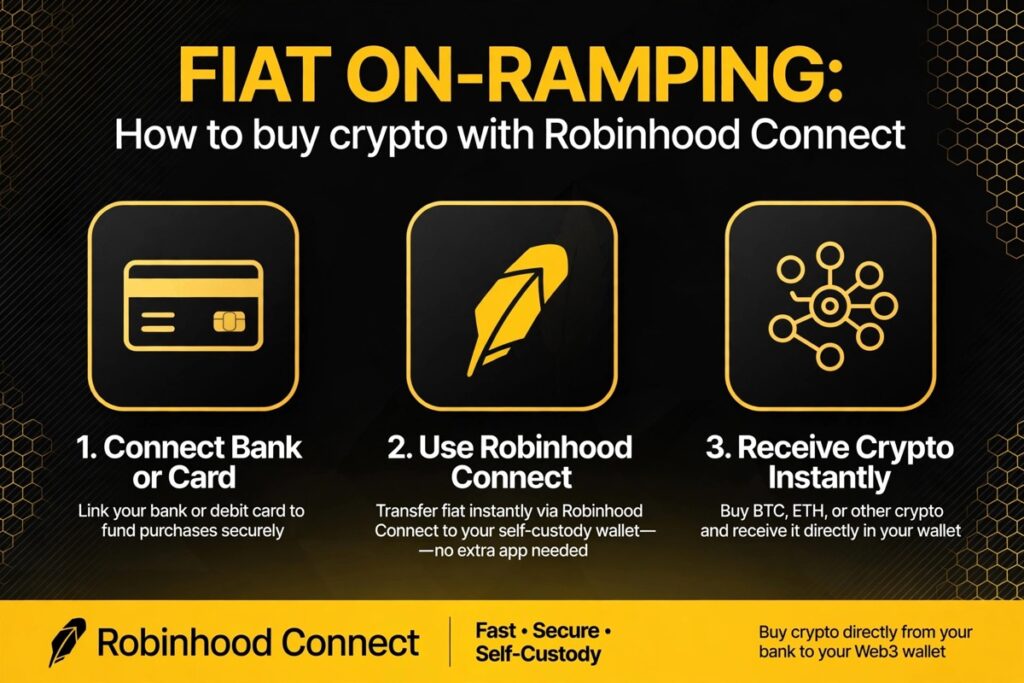
One of the more practical problems with self-custody is getting money into a wallet. You might have installed the app, created a recovery phrase and copied your receiving address, but you still need a way to buy crypto or move funds from an exchange.
Robinhood Connect is designed to simplify that process. It connects participating wallets and decentralized applications with Robinhood’s crypto purchasing and transfer services, so eligible users can buy or move crypto without manually navigating through several separate platforms.
What is Robinhood Connect?
Robinhood Connect is a service that lets users buy crypto or transfer supported assets from a Robinhood Crypto account to a participating self-custody wallet or dApp.
According to Robinhood, supported payment methods can include:
- Robinhood account: Use eligible buying power or transfer crypto from a Robinhood Crypto account.
- Debit card: Buy supported crypto using an eligible debit card.
- Bank account: Use a linked bank account where the payment method is supported.
- Other providers: Some purchases may be handled through third-party providers such as Sardine, depending on availability.
The exact options depend on the wallet or dApp, the asset, the user’s location and account eligibility. Do not assume that every payment method is available in every country.
Robin’s Connect support page explains the service and its supported assets. It also notes that asset availability can depend on the state and regulatory approval.
How to buy crypto with Robinhood Connect
The general process is straightforward, although the payment options shown to you may differ.
- Open Robinhood Wallet.
- Select Buy and choose the cryptocurrency you want to purchase or transfer.
- If the asset is available on multiple networks, select the correct network.
- Choose Robinhood Connect when it appears as an available provider.
- Sign in using your Robinhood credentials.
- Select an available payment method, such as a debit card, bank account or eligible Robinhood buying power.
- Enter the amount and review the order.
- Confirm that the destination wallet address and network are correct.
- Submit the transaction and return to Robinhood Wallet to check the status.
Robin’s current instructions may change as the app evolves. Follow the screens displayed in your version of the app rather than relying on an old walkthrough.
Bank transfers and other payment methods
Bank transfers can be useful for users who want to fund crypto purchases from a linked account rather than use a debit card. However, the availability of ACH or other bank-payment methods is not universal.
If you are using Robinhood Connect in the United States, Robinhood currently lists availability across US states and certain territories, with an exception for New York. Some other states and territories have additional conditions. For example, Robinhood’s documentation identifies specific account requirements for residents of North Carolina, Hawaii and Puerto Rico.
For users in the European Union or other regions, do not assume that the US Connect payment flow applies. Check the payment methods shown in your own app and the relevant regional terms.
Robinhood Connect fees: Is it free?
There is no single fee that applies to every Robinhood Connect transaction. The cost depends on whether you are transferring crypto from an existing Robinhood account or making a new purchase through a payment provider.
Robinhood says transfers from a Robinhood Crypto account to a wallet through Connect can be made without a Robinhood fee, although network fees may still apply. Purchases using buying power may also have different fee treatment from transactions handled by third-party providers.
Before confirming, review the complete order summary. Look for:
- Any provider or transaction fee.
- The exchange rate or quoted purchase price.
- The amount of crypto you will receive.
- The destination network.
- Any blockchain fee that applies after purchase.
A purchase that looks convenient is not necessarily the cheapest option. Compare the final amount you receive with the amount you would get through another reputable on-ramp.
Common pitfalls and risks
Robinhood Wallet makes some crypto tasks easier, but it does not remove the risks of using blockchain networks. The most expensive mistakes are often simple ones: sending funds on the wrong network, approving a suspicious transaction or trusting someone who claims to be customer support.
Security risks
Phishing attacks
Scammers frequently imitate wallet providers, exchanges and popular dApps. You may encounter fake search results, sponsored links, social-media accounts or messages claiming that your wallet needs to be verified.
A legitimate support agent should not need your secret recovery phrase. If a website or person asks you to enter the phrase to unlock a reward, fix an error or verify your identity, stop.
Seed phrase theft
Your recovery phrase gives access to your wallet. Never share it with anyone, including someone who claims to work for Robinhood. Do not enter it into a website just because a message says your account is at risk.
Robinhood explicitly warns users that it will not provide a recovery phrase for them to import and that users should only import a phrase they created themselves. Its wallet FAQ explains this warning.
Smart contract vulnerabilities
Connecting a wallet to a dApp does not mean the dApp is safe. A decentralized application may contain a vulnerability, use a malicious contract or present a transaction that grants more permission than you intended.
Before approving a token allowance, check which token is involved, which contract receives permission and whether the requested amount is reasonable. If you no longer use a dApp, consider reviewing and revoking unnecessary token approvals through a compatible blockchain explorer or approval-management tool.
Wrong network or address
A wallet address is not enough to confirm that a transfer is safe. You must also check the network. Sending USDC over one network to an address or exchange deposit that only supports another network can lead to lost funds.
For a large transfer, consider sending a small test amount first. It costs extra in fees, but it can help catch a wrong address or unsupported network before you move the full balance.
Regulatory risks
Crypto regulations vary by country and can change. A wallet being downloadable in a region does not mean that every feature, token or payment service is available there.
Robinhood also operates different products through different entities and service arrangements. Its self-custody wallet disclosures identify Robinhood Non-Custodial, Ltd., a Cayman Islands company, as the provider of self-custody wallet services alongside third-party providers. That is distinct from assuming that every wallet feature is provided by the same regulated entity that operates Robinhood’s US brokerage or custodial crypto services.
If you are in the United States, the European Union or another market, check the product terms that apply to your jurisdiction. In particular, tokenized securities may have geographic restrictions and different legal rights from ordinary shares.
Tax implications
Using a self-custody wallet does not automatically make crypto transactions tax-free. Depending on your jurisdiction, selling crypto, swapping one token for another, spending crypto or receiving certain rewards may create tax-reporting obligations.
Moving crypto between two wallets that you control may be treated differently from selling or swapping an asset, but the exact rules depend on local law and the transaction details. Keep transaction records, including dates, asset amounts, network fees, wallet addresses and transaction hashes.
If you use Robinhood Wallet for frequent swaps or DeFi activity, consider exporting or recording your transaction history regularly. Do not wait until tax season to reconstruct months of onchain activity.
Market and liquidity risks
A token being visible in Robinhood Wallet does not guarantee that you can sell it quickly or at a fair price.
- Volatility: Crypto prices can move sharply in a short period.
- Liquidity: A token may have low trading volume or limited market depth.
- Slippage: The final swap price may differ from the quote you first see.
- Token risk: Some tokens have concentrated ownership, weak projects or malicious contract logic.
- Protocol risk: DeFi lending, staking and liquidity products can expose you to smart contract and market risks.
I would not use the wallet’s convenience as a reason to take larger positions than you otherwise would. The app can make transactions easier, but it cannot make a risky asset safer.
Knowledge graph: Key entities and relationships
Robin’s crypto ecosystem includes several products that sound similar but serve different purposes. Understanding how they fit together helps avoid a common mistake: treating the main Robinhood app, Robinhood Wallet, Robinhood Connect and Robinhood Chain as if they were one product.
Robinhood Markets, Inc. (NASDAQ: HOOD)
│
├── Robinhood Financial
│   └── Brokerage services
│
├── Robinhood Crypto
│   └── Custodial crypto services
│
├── Robinhood Wallet
│   ├── Self-custody wallet
│   ├── User-controlled private keys
│   ├── Supported blockchain networks
│   ├── Crypto transfers and swaps
│   ├── Web3 dApp connections
│   └── Robinhood Chain access
│
├── Robinhood Connect
│   └── Crypto purchases and transfers
│       through participating wallets and dApps
│
└── Robinhood Chain
    ├── Ethereum-compatible Layer 2
    ├── Built using Arbitrum technology
    ├── Tokenized Stock Tokens
    ├── DeFi applications
    └── Onchain financial services
The important relationships are:
- Robinhood Markets, Inc. is the publicly traded parent company.
- Robinhood Financial provides brokerage services.
- Robinhood Crypto provides custodial crypto services in supported markets.
- Robinhood Wallet is a separate self-custody app in which users control their wallet keys.
- Robinhood Connect links participating wallets and dApps with crypto purchasing and transfer services.
- Robinhood Chain is an Ethereum-compatible Layer 2 network built for onchain financial applications and tokenized assets.
Do not assume that a balance in one product automatically appears in another. A crypto balance in the custodial Robinhood app is not the same thing as an onchain balance in Robinhood Wallet. Moving funds between them requires a supported transfer or purchase flow.
Likewise, Robinhood Chain is not a brokerage account. It is a blockchain network. A token held on that network is an onchain asset with its own terms and risks.
How to set up Robinhood Wallet?
Setting up Robinhood Wallet is straightforward. The process has four main stages: install the app, create or recover a wallet, fund it, and then send, swap or connect to a dApp.
The exact screens may vary by operating system and app version, but the steps below cover the standard flow.
Download and install Robinhood Wallet
Before downloading anything, check that you are getting the real app.
- Download Robinhood Wallet from the Apple App Store or Google Play.
- Search for Robinhood Wallet and confirm that the developer name and app information look legitimate.
- Install the app and open it.
If you land on an unfamiliar download page from a search result or message, stop and verify the source. Robinhood says users should download the app only from trusted sources. You can read the official wallet download page.
The app will ask you to enable notifications. This can help you receive alerts for transactions and security updates. It is optional, but it is a useful feature if you want to monitor activity.
Create or recover a wallet
After opening the app, you can either create a new wallet or recover an existing one.
Create a new wallet
- Open the app and select the option to create a wallet.
- Choose the biometric or PIN authentication method for the app.
- Robinhood will generate a recovery phrase. Review the backup options and store the phrase securely.
- Create a backup using the method shown in the app, whether that is a cloud backup or a manual backup.
Do not skip the backup step. If you lose your phone without a recovery option, you may lose access to the wallet.
Recover an existing wallet
- Open Robinhood Wallet and select the recovery option.
- Enter the recovery phrase from your previous wallet.
- Complete the authentication steps and review the recovered wallet.
Robinhood says a wallet can be recovered only if the correct recovery phrase is entered. It cannot recover the phrase for you.
If you use the import option, use a recovery phrase you created yourself. Do not import a phrase that a stranger or support agent provided.
Fund your wallet
A new wallet starts empty. You can fund it in several ways.
Transfer from another wallet
- Open Robinhood Wallet and select Receive.
- Choose the crypto you want to receive.
- Make sure you select the correct network.
- Copy the wallet address shown on the screen.
- Use your other wallet or exchange account to send the asset to that address.
Transfer from a crypto exchange
- Log in to the exchange where your crypto is held.
- Select the withdrawal option and choose the same network and token that you selected in Robinhood Wallet.
- Paste the Robinhood Wallet receiving address and confirm that it is correct.
- Submit the withdrawal and allow time for the network to process it.
Buy through Robinhood Connect
- Use the Buy flow in Robinhood Wallet where Robinhood Connect is available.
- Select the asset and network, then choose an eligible payment method.
- Review the order and confirm the destination address and network.
- The purchased crypto should appear in the wallet once the transaction is complete.
Make your first transaction
Once you have funded the wallet, you can use it to send, swap or connect to dApps.
Send crypto to another wallet
- Open Robinhood Wallet and select Send.
- Choose the token you want to send.
- Enter the recipient’s wallet address.
- Confirm the network and amount, then review the transaction details.
- Approve the transaction using your chosen authentication method.
Swap one token for another
- Open Robinhood Wallet and select Swap.
- Choose the source token and the destination token.
- Check the supported network combination, estimated output and fee breakdown.
- Review and confirm the transaction.
Connect to a decentralized application
- Use the wallet’s Web3 browser or connection flow to open the dApp.
- Review the requested connection and permissions.
- Connect only to applications you trust.
The app can show you pending transaction requests and approvals. You should never approve a request you do not understand.
FAQ
Is Robinhood Crypto Wallet safe to use?
Yes, Robinhood Wallet is a self-custody wallet, which means you control your recovery phrase and are responsible for securing it. The app provides biometric and PIN authentication, and Robinhood provides guidance on backup and phishing prevention. However, self-custody does not mean the wallet is risk-free. A lost or stolen recovery phrase can lead to a permanent loss of funds.
Robinhood does not claim that the wallet is invulnerable. Users should treat it like a financial application that provides access to onchain assets, not a bank account with a full support and recovery safety net.
Is Robinhood Crypto Wallet free to use?
Yes, the wallet app is free to download and use. Robinhood does not charge a fee to open or maintain a self-custody wallet.
However, network fees can apply to blockchain transactions, and swap or third-party provider fees may apply to specific operations. The cost of a transaction depends on the network, the swap route and the payment method used.
What cryptocurrencies and networks does Robinhood Wallet support?
Robinhood Wallet supports more than 100 cryptocurrencies across Ethereum, Bitcoin, Solana, Dogecoin, Arbitrum, Polygon, Optimism, BNB Smart Chain, Base and Robinhood Chain.
It is important to distinguish between network support for transfers and network support for specific features. A network listed for sending and receiving may not support the same swap or dApp functionality as another network.
The exact list of supported tokens and networks can change. Robinhood’s wallet FAQ is the most reliable place to check the current list.
Can I use Robinhood Wallet in my country?
Robinhood Wallet is available in the United States and the European Union, subject to eligibility rules and regional restrictions. Some features may not be available in every country or state.
Tokenized products, in particular, can have more specific geographic restrictions. Before downloading or using the wallet, check the availability information shown in your app store or Robinhood’s support pages.
How is Robinhood Wallet different from the Robinhood app?
The Robinhood app is a custodial product for buying and selling crypto through Robinhood’s brokerage and crypto services. Robinhood Wallet is a self-custody wallet that gives you control over the private keys and recovery phrase for your onchain assets.
You can think of the Robinhood app as a place to buy and manage crypto through a Robinhood account, and Robinhood Wallet as a separate application for holding and using crypto onchain.
Can Robinhood recover my crypto if I lose my recovery phrase?
No. Robinhood does not store the recovery phrase for your self-custody wallet and cannot retrieve it for you.
Robin’s wallet FAQ explicitly warns users that a wallet can be recovered only if the correct recovery phrase is entered. It also warns users not to import a recovery phrase provided by someone else.
Does Robinhood Wallet support NFTs?
Yes, Robinhood Wallet can receive and store supported NFTs. Robinhood’s documentation lists Ethereum and Polygon NFTs as supported for receiving and storing.
However, the wallet does not currently support sending NFTs from the app. If you need to transfer an NFT to another address, you may need to use another wallet or service that supports the transfer.
You can read Robinhood’s official NFT support page for details.
Can I use Robinhood Wallet without a Robinhood brokerage account?
Yes. Robinhood Wallet is a standalone self-custody wallet and does not require a Robinhood brokerage account to use.
However, some funding and purchase options, such as Robinhood Connect, may involve your Robinhood account or other eligibility requirements. You can also fund the wallet by transferring crypto from another wallet or exchange.
Are Robinhood Stock Tokens the same as owning real shares?
No. Stock Tokens are tokenized debt securities that provide economic exposure to underlying securities. They do not give holders legal or beneficial ownership rights in the underlying companies.
Robin’s documentation explicitly warns that Stock Tokens are not shares and that the value of a token can differ from the price of the underlying security. Before acquiring one, read the applicable prospectus and final terms.
Does Robinhood Wallet offer gasless swaps on every network?
No. Robinhood Wallet does not promise gasless swaps on every network.
Robinhood has described certain swap experiences without network fees, but its current documentation explains that swap network fees can apply. The exact cost depends on the network, transaction and route.
Do not assume that a swap is free just because the app presents it as simple or low-friction. Check the fee breakdown before confirming.
Final verdict
Robinhood Wallet is a legitimate self-custody option for users who want a mobile wallet connected to Robinhood’s broader crypto ecosystem. It is particularly useful if you want to move from buying crypto through the main Robinhood app to using it onchain for transfers, swaps and decentralized applications.
Its strengths are its multi-chain support, its connection to Robinhood Connect and its integration with Robinhood Chain and tokenized assets. The wallet gives you control over your keys while providing a beginner-friendly interface.
Its limitations are the same as those of any self-custody wallet. You are responsible for your recovery phrase, your transaction approvals and your understanding of the networks you use. A mistake can be irreversible.
It is also important not to confuse the wallet’s convenience with a guarantee that every feature is available everywhere. Some products, such as Stock Tokens, have geographic restrictions. Some swap routes involve network fees, and not every network supports every wallet feature.
If you want a straightforward mobile wallet with broad network support and a path into DeFi and tokenized assets, Robinhood Wallet is a reasonable choice. If you need the widest possible Web3 coverage, especially through a browser extension, MetaMask remains a strong alternative.
The most sensible approach is to start with a small balance, learn the recovery and transfer process, and only then decide how much of your crypto you want to manage through the wallet.